Early in 2025 I was frustrated with AI (ChatGPT, Claude, Gemini and similar tools). It seemed to work well for small things, but anytime I tried to go beyond that, to do something more nuanced, accurate, and specific to my situation, the back-and-forth took as long as doing it myself, if not longer. And when it did produce something quickly, the output often looked polished on the surface but turned out to be wrong in ways that only became obvious later.
Many people who try AI hit the same wall.
That experience can lead you to think that AI is overhyped, or that you are doing something wrong. I learned the latter is closer to the truth, but not in the way you might think. There are characteristics of how AI works that most people are never told about, and there is a progression for using AI well that most people skip entirely.
This post covers both: the traps you need to understand before you rely on AI for anything important, and the four levels of a progression that actually builds the foundation to use it well.
Table of Contents
Why AI Feels Unreliable
The frustration most people feel with AI is not random. It follows a pattern.
You ask something, get an impressive answer, ask something more specific, get something plausible but not quite right, try to correct it, end up in a loop, and eventually walk away with something you could have written yourself in less time. The value that looked obvious in the demo does not materialise in real work.
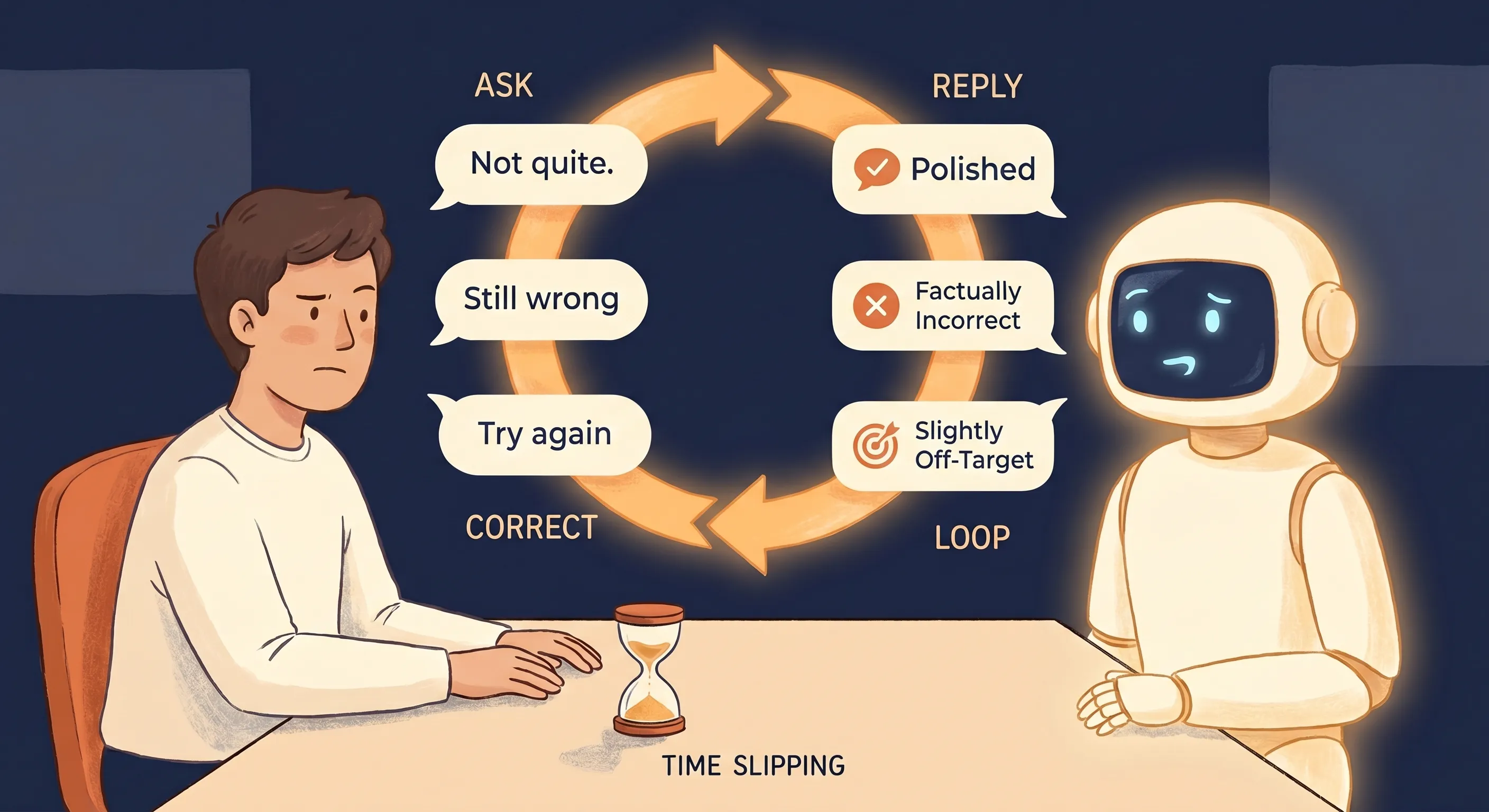
This is not a version problem. It will not be fixed by switching to a different model or waiting for the next release. It is a function of how AI works, and the only way through it is to understand what you are actually dealing with.
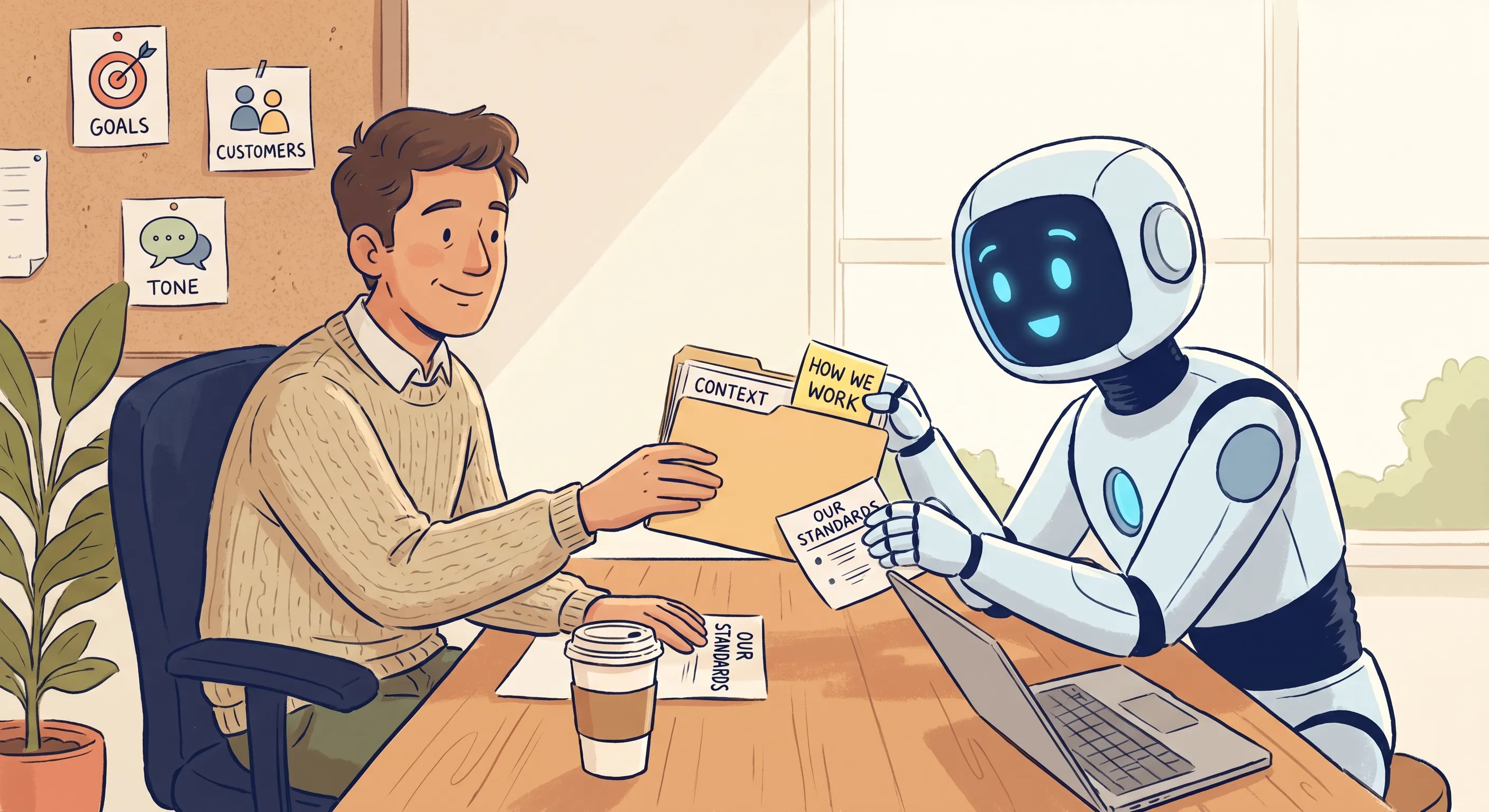
The most useful reframe is this. Getting value from AI is less like learning software and more like bringing on a new team member. A new hire with no context, no understanding of how you work, and no sense of your standards will produce exactly the kind of output AI produces when you have not invested in onboarding it. The frustration is real, but it does not mean AI does not work. It means no one showed you how to onboard it.
How AI Actually Works
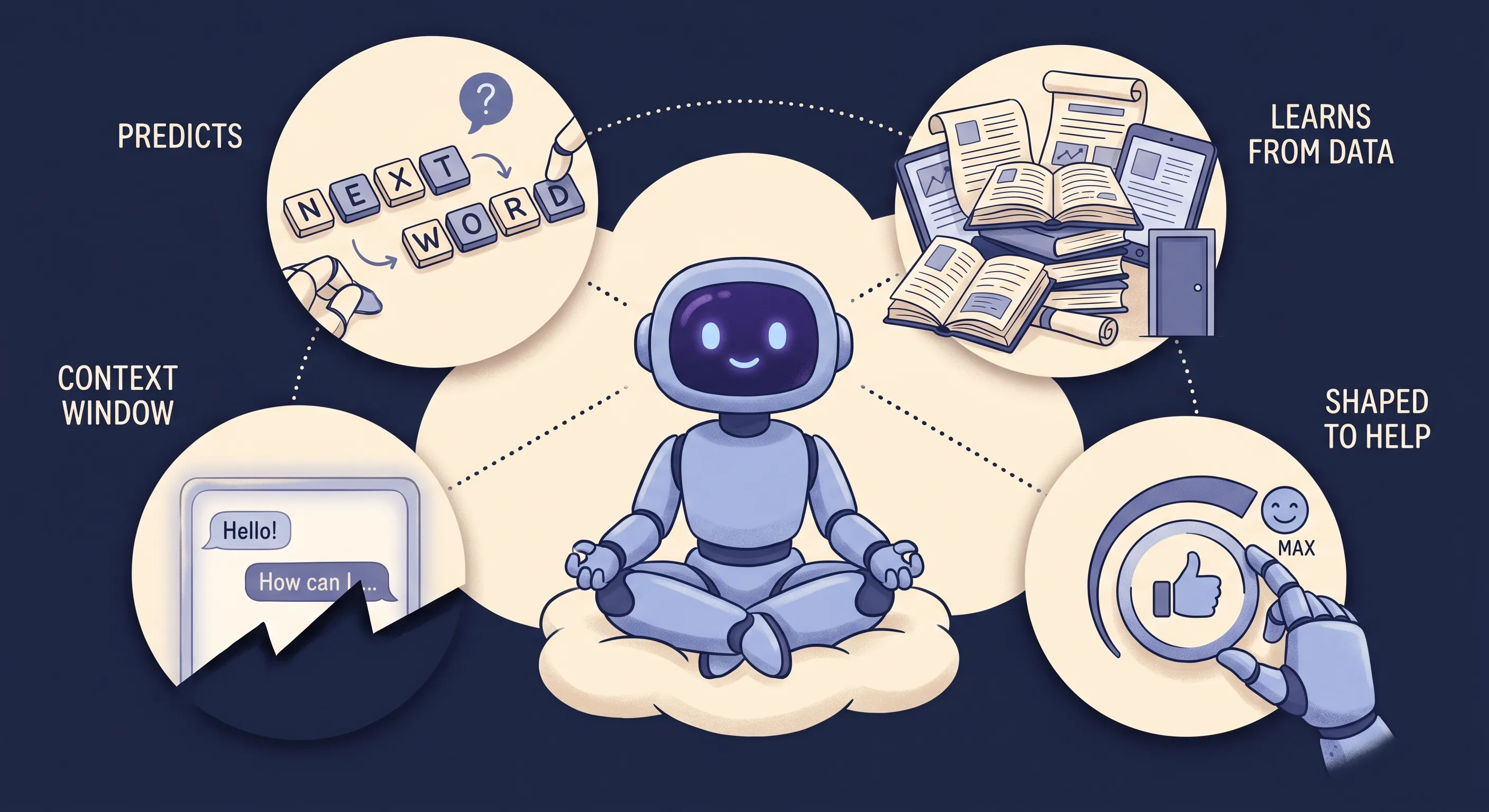
Onboarding anything well starts with understanding what you are working with. AI is easy to misread, because it talks like a person and answers like a search engine, so we assume it works like one or the other. It does not. The tools we are calling AI here are powered by what are known as large language models, or LLMs, and a few characteristics of how they work explain almost everything that follows.
It Predicts, It Does Not Look Up
At its core, an LLM generates the most plausible next piece of text, one step at a time, based on patterns in the vast amount of material it was trained on. It is not retrieving verified facts from a store of truth. It is producing what statistically looks right given what you asked. Most of the time what looks right is also right, but plausible and correct are not the same thing, and nothing in the process guarantees they line up.
It Learns From Data, Not From Experience
Everything a model knows, it absorbed from an enormous body of human-created material, not from living in the world. It has never run a business, sat across from a client, or lived with the consequences of a decision. Its grasp of any situation is a pattern assembled from records of similar situations, not understanding earned through experience. It can describe what good judgement sounds like without being able to exercise it.
It Works Within a Context Window
A model has no memory of you between sessions and no inherent knowledge of your business or standards. Each time it responds, it works from what sits in its context window: the conversation so far, anything you have given it, and patterns from its training (which stops at a cutoff date). Many tools now widen what can enter that window. They can search the web, read documents you upload, or connect to your own data, pulling in information well beyond the cutoff. But the window is finite. It holds only so much, and once a conversation grows large enough, earlier content starts to fall out of reach.
It Is Shaped to Be Helpful
After its initial training, a model is refined using human feedback: people rate its responses, and it is tuned toward the answers people prefer. People tend to prefer answers that are confident, agreeable, and validating, so that is what the tuning rewards. Being helpful becomes part of the model’s default behaviour, whether or not being helpful and being right point in the same direction.
None of these are flaws being patched out of existence. They are being worked on, and the progress is real. Reasoning models (sometimes called thinking models) now work through a problem step by step before answering, which catches errors a quick response would miss, and retrieval features keep chipping away at the knowledge cutoff. The models get better with every release. But these are improvements to the same underlying machine, not a different kind of thing. The characteristics are being reduced, not removed, which is why understanding them still matters. It is what lets you use the improvements well, and judge when to lean on the output and when to push back.
The Traps Nobody Tells You About
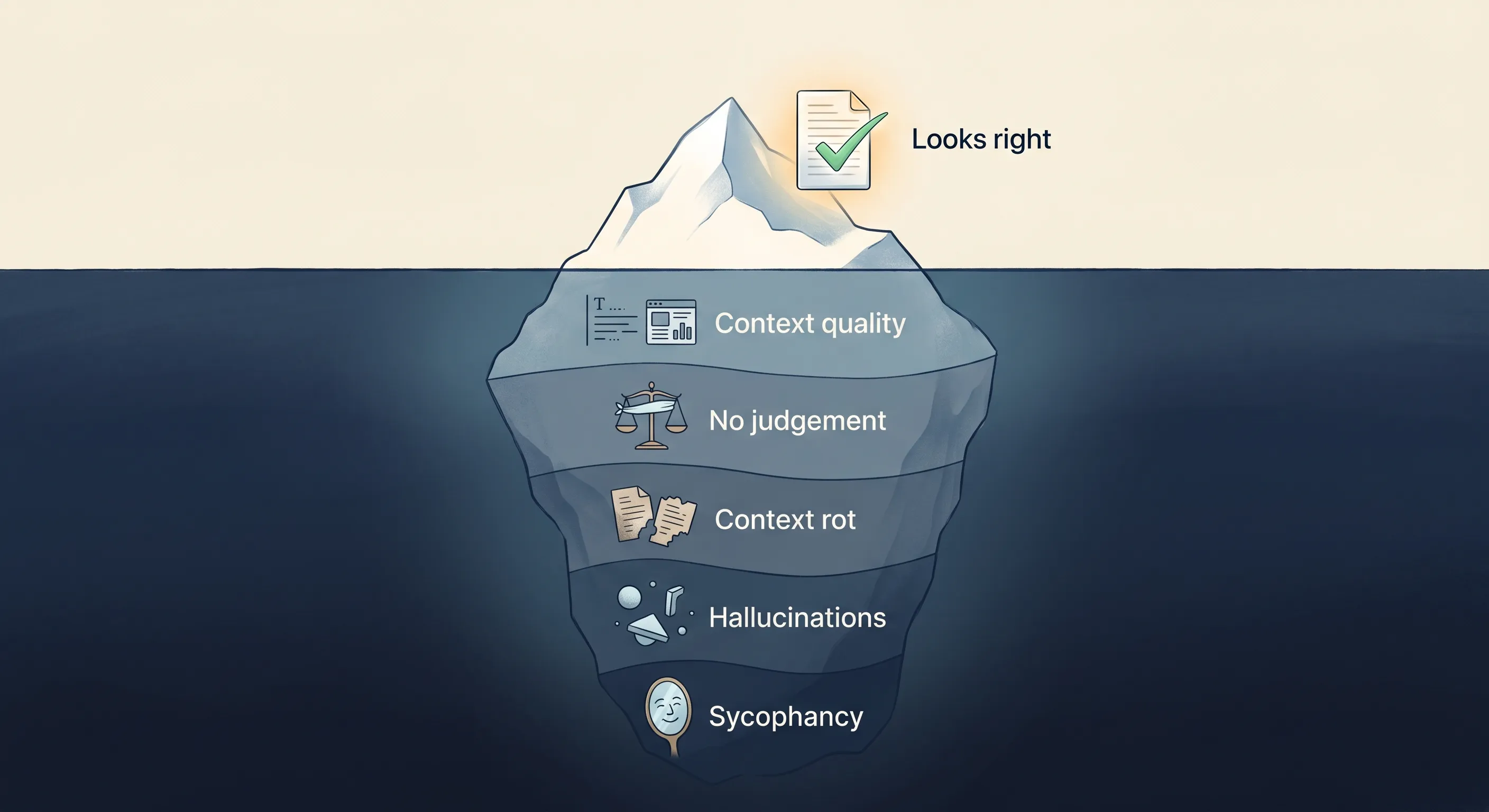
Each of those characteristics creates a trap that catches people out. Understanding them is not optional, because they shape every interaction you will ever have with AI, regardless of how advanced your use becomes.
Context Quality
Because AI works only from what is in its context window, the quality of what you put there sets the ceiling on what comes back. Give it a vague prompt and it does not stop to ask. It fills the gaps with assumptions, and those assumptions are generic by default and often wrong in ways you will not notice until you see the output.
This sounds obvious. The implications are not. Most people significantly underestimate how much of the work sits on the context side, and that underestimation is the root of most disappointing outputs.
AI Has No Judgement
Because everything it knows comes from data rather than lived experience, AI cannot make a judgement call the way a person with experience and accountability can. It is extraordinarily capable at language, pattern recognition, and synthesis, but capability is not judgement.
It does not know what matters to your business, what your customer actually needs, or when a technically correct answer is the wrong answer in context. It will produce output that misses the point entirely and will not flag that it has done so. The responsibility for judgement stays with you at every level.
Context Rot
The context window is finite, so a long conversation eventually outgrows it, and AI starts to lose its grip on earlier context. Responses later in a session can contradict or ignore things established at the start, and quality degrades the longer a conversation runs without a fresh start.
If you have ever had a session that started well and ended with AI going in circles or ignoring something you told it earlier, this is what happened.
Hallucinations
Because AI predicts plausible text rather than looking up verified facts, it will sometimes produce information that is wrong but stated with complete confidence. Statistics, citations, names, and dates can all be generated seamlessly and incorrectly. If you use AI output without checking facts, you will eventually publish or send something wrong.
This is not a defect that will be patched out. It is a direct consequence of how prediction works, so a consistent checking habit is part of using AI properly.
The training cutoff compounds it. Because a model’s knowledge stops at its cutoff date, it will often state outdated facts, tool versions, pricing, regulations, or current events as if they are current, without flagging the gap. Anything time-sensitive needs checking against a live source, and retrieval features only help when the tool actually has them.
Sycophancy
Because it is tuned on human feedback toward the answers people like, AI defaults to agreement. It will validate your plans, support your conclusions, and soften its critique. Frame a question with an implied answer, “I think we should price this at $X, does that look right?” and it will usually find reasons to back you up rather than push back.
For high-stakes decisions, this is more dangerous than hallucinations. Hallucinations feel wrong once you check them. Sycophancy feels useful. The output looks like validation when it is really just reflection. You walk away more confident in a decision and no better informed. The defence is to make it argue against your position, surface what you might be missing, or work through its reasoning step by step before it concludes.
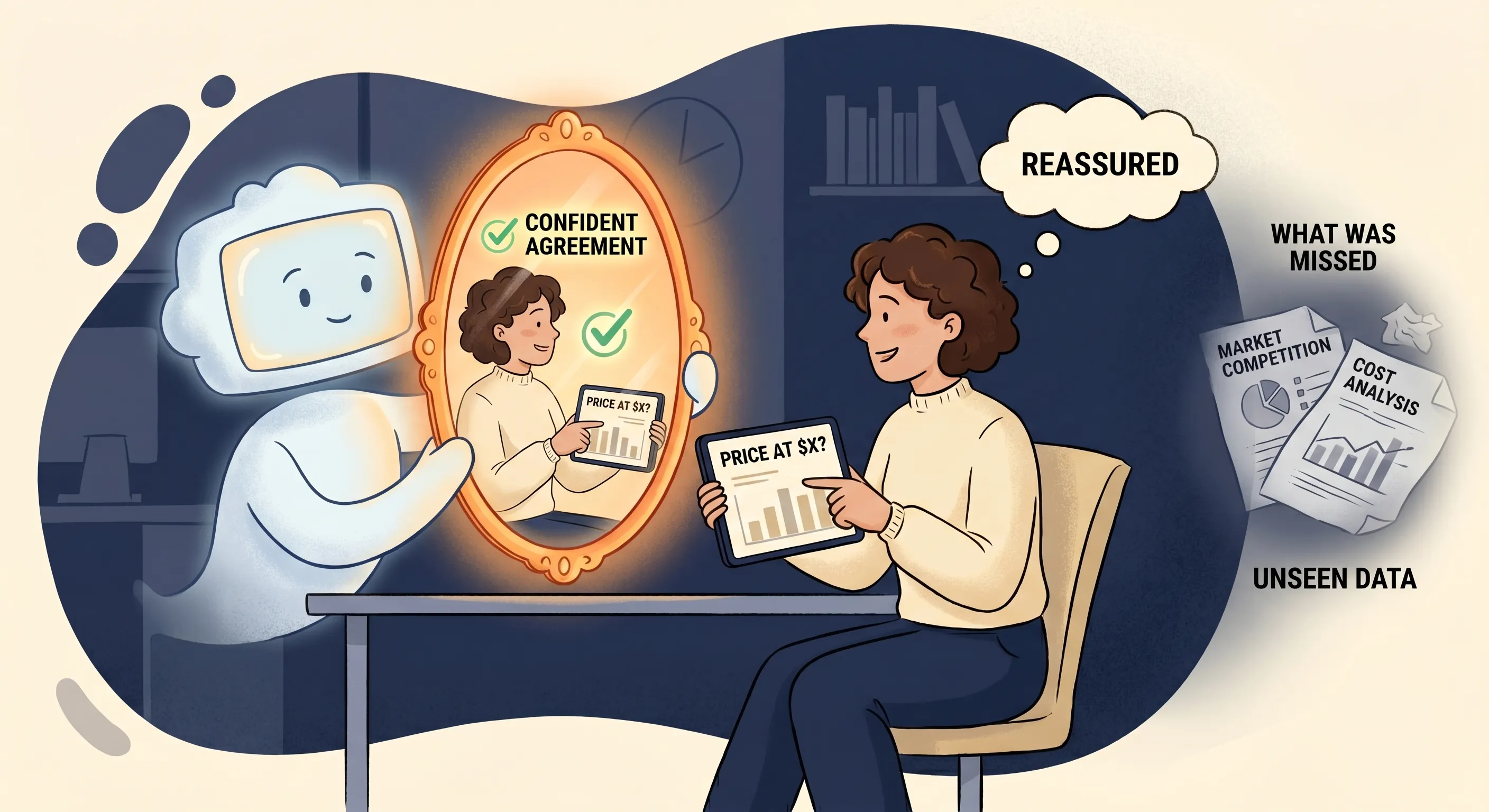
All of these traps share one thing: the output sounds right. AI writes confidently and formats cleanly, which makes wrong outputs feel like correct ones. That polish is what lets the others slip past. Catching them is not about better instinct, it is about building the working habits that the rest of this post describes.
Why AI Projects Fail at Such a High Rate
These traps explain a statistic that gets cited constantly but rarely understood. A 2025 study from MIT found that 95% of organisations putting generative AI to work saw no measurable return on it. Not because the technology failed, the tools worked, but because the business never turned them into anything that changed how the work actually got done.
That is the pattern across the research: when AI efforts fail, the model is almost never the cause. The blame lands on unclear goals, messy data, and workflows nobody redesigned. The technology shipped; the foundation underneath it was never built.
That is what most organisations and individuals get wrong: they try to skip to the end. They hear about autonomous AI and agents that run processes on their behalf, and they move straight there without building the understanding of how AI actually behaves. Without working through its limitations. Without encoding their own knowledge and judgement into the systems they are building.
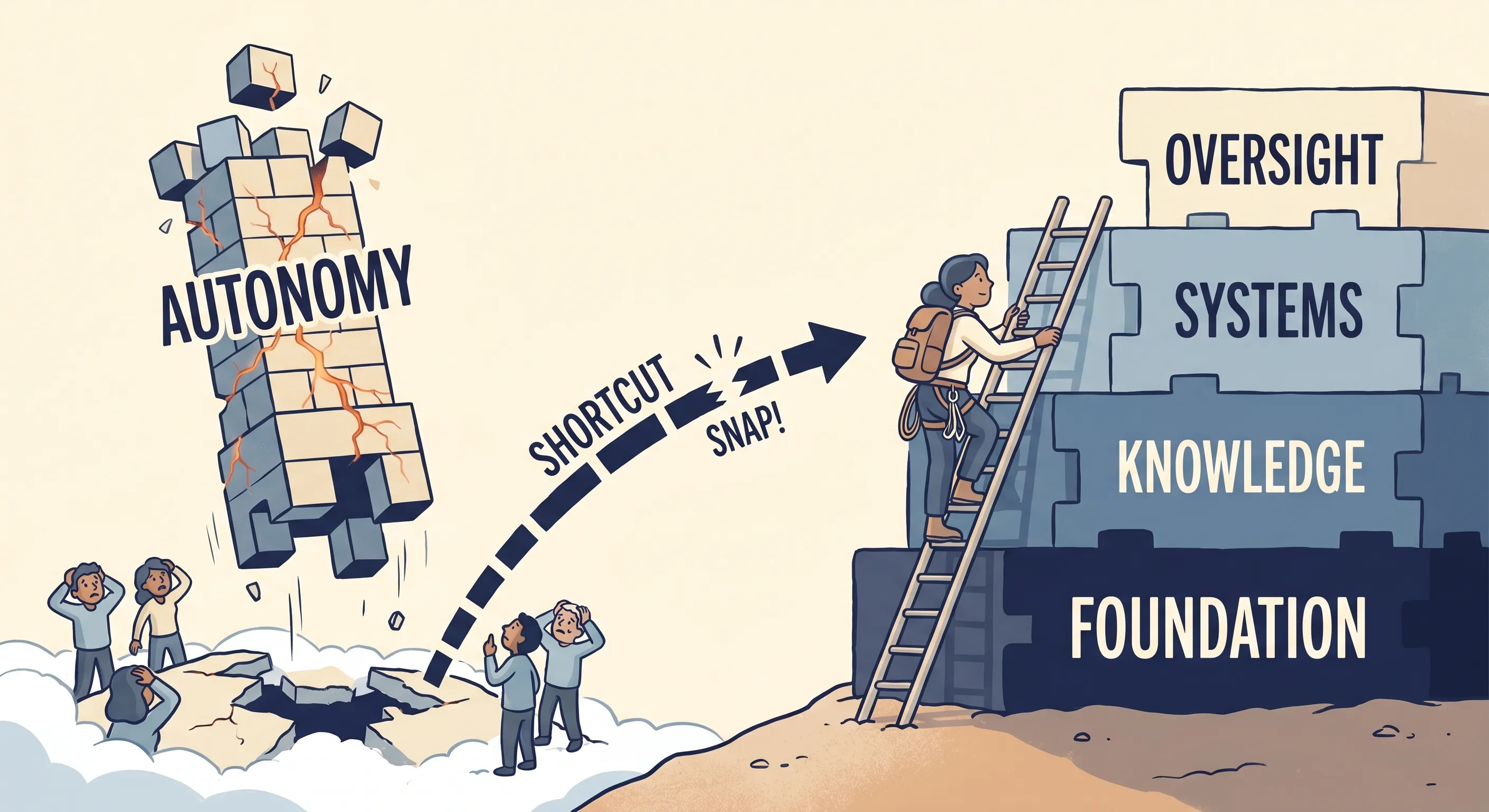
You cannot hand autonomy to something you do not understand. And understanding AI is not something you acquire by reading about it. You build it progressively, through working with AI on real tasks over time and making the mistakes that teach you where the limits are.
The same MIT research shows the other side of this. While only about 40% of companies had bought an official AI subscription, staff at more than 90% of them were already using personal AI tools for work, many of them daily, often getting more done than their employer’s stalled pilots. The value was real. It was just being built by individuals, one person at a time, rather than handed down from the top.
That individual, progressive building is what the four levels describe.
The 4Me Progression: Four Levels of AI Productivity
AI is heading in one direction: it is becoming as foundational to work as using a computer. Nobody asks whether you use a computer for work. People assume baseline computer skills. AI is following the same path. The question will not be whether you use it, but whether you have built the skills to use it well. The four levels are how you build those skills.
The name comes from what the four levels share. Each one changes how much AI takes on, but every one ends in the same word: Me. That is deliberate. Even at the top level, where AI runs on its own, you stay at the centre of it.
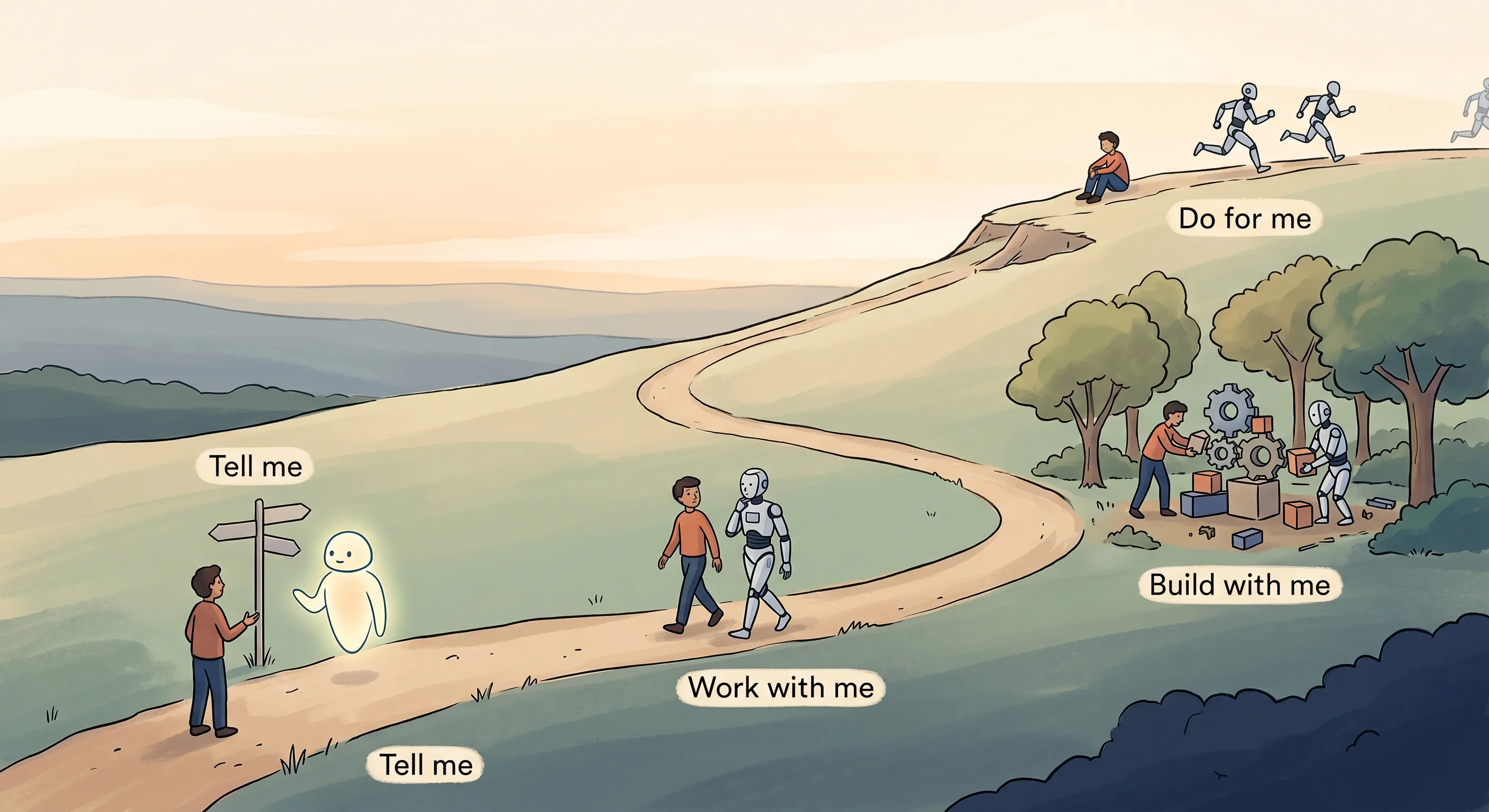
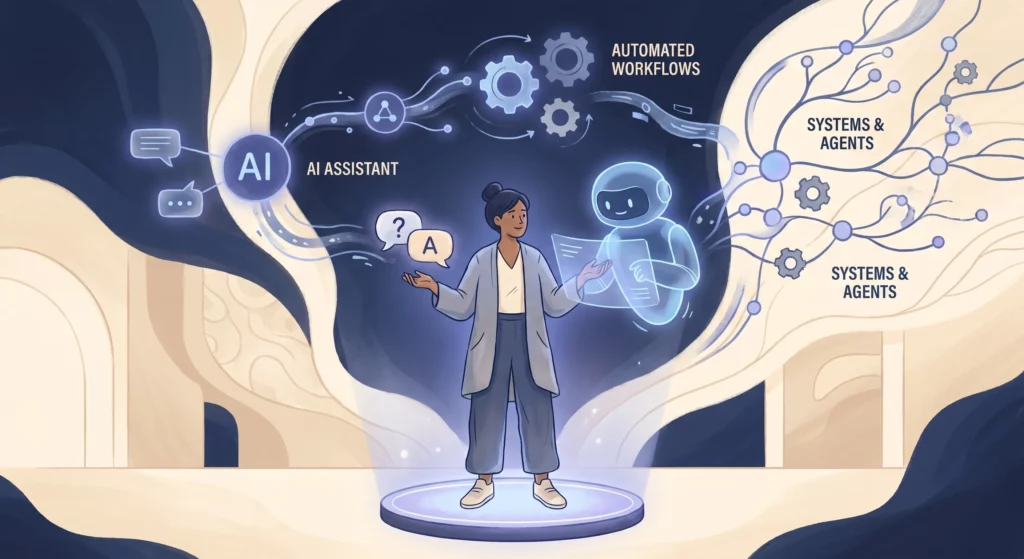
Tell Me: contained, one-off use. Questions, summaries, drafts. Either you never went further, or you tried and the back-and-forth felt slower than doing it yourself.
Work with Me: daily iterative use. AI as a thinking partner on real decisions and real work. Where the foundation gets built.
Build with Me: you start creating systems, workflows, and tools with AI as co-architect.
Do for Me: AI operates autonomously on your behalf, within systems you understand because you built them.
Each level builds on the one before it. In practice the lines blur, especially for people who are technically or systems-oriented. They will find Build with Me and Do for Me elements appearing early, alongside their daily Work with Me practice. For everyone else, the progression unfolds more gradually. Either way, the learning that starts at Work with Me is what makes the levels beyond it work. The most important level, the one where everything else becomes possible, is level two.
Level 1: Tell Me
This is how most of us were introduced to AI. When ChatGPT came out, the world learned to treat it like a smarter search engine. Ask a question, get an answer. Ask it to write something, read what comes back, copy what you can use.
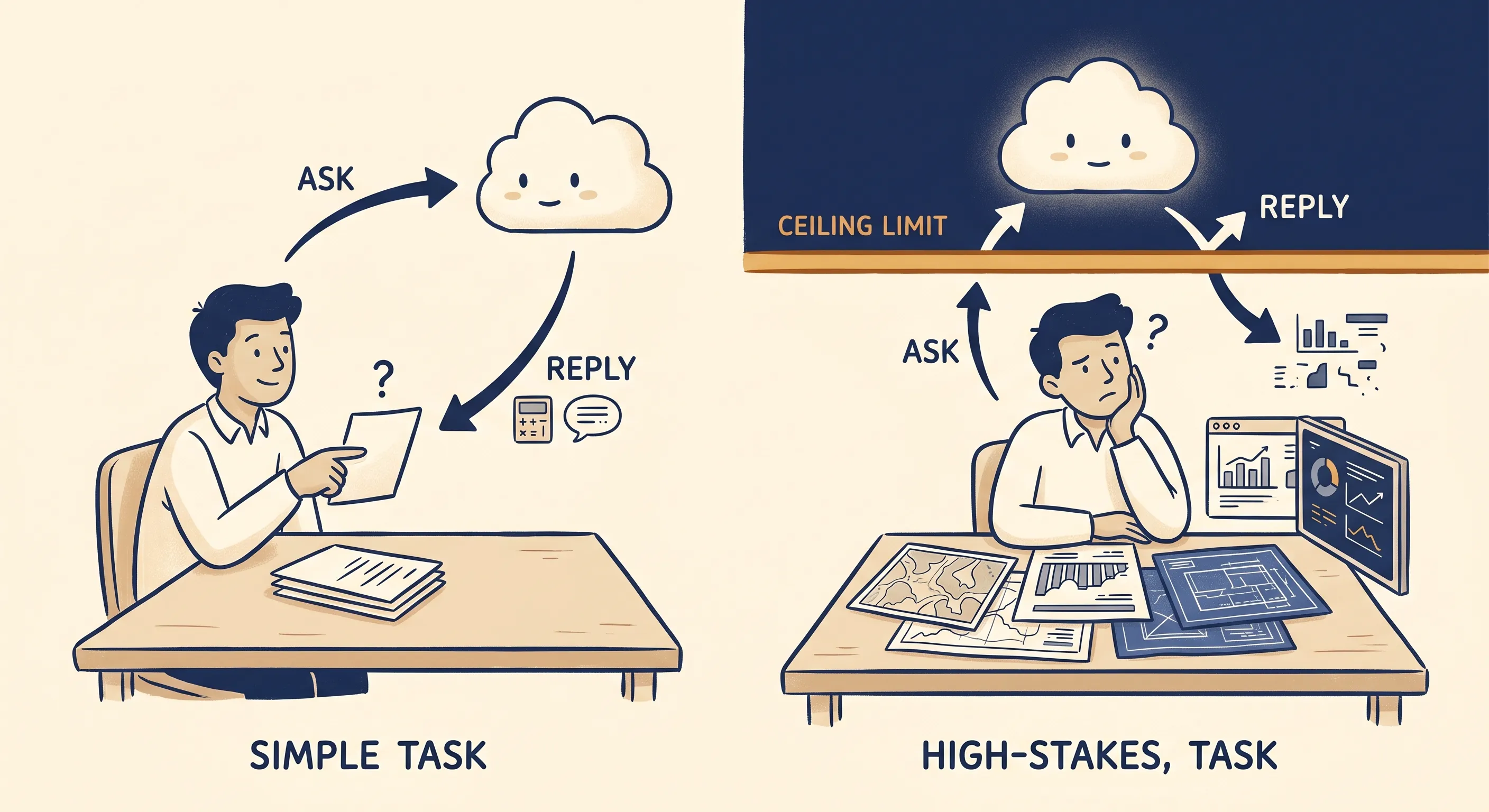
That is a legitimate use of AI. It is genuinely useful for quick lookups, explanations, and first drafts of low-stakes things. The ceiling appears when you try to use it for work that actually matters.
My experience of that ceiling was this: I could see AI was impressive, but when I tried to use it for anything that needed to be right, something specific to my situation and carrying real consequences, I ended up in long back-and-forth exchanges that did not reliably get there. It did not seem worth the time relative to what I was putting in.
What I did not understand at the time is that the problem was not AI. The problem was the mode of engagement. Tell Me is a one-directional relationship. You ask, it answers, based on whatever it assumes about what you need. When what you need is simple and generic, those assumptions are usually close enough. When what you need is specific and high-stakes, the assumptions are often wrong, and the back-and-forth is you trying to correct them one response at a time. That is an exhausting way to work, and it is where most people stay.
Level 2: Work with Me
This is the most important level. Everything that makes levels three and four possible gets built here.
Work with Me means AI is part of how you work every day, not something you open occasionally when you need a quick answer, but something integrated into your regular workflow. The shift is not just frequency. It is the nature of the engagement. At Tell Me, you are asking AI to answer. At Work with Me, you are thinking alongside AI.
That requires a fundamentally different approach to prompting.
Three Moves That Change How You Start
The shift into Work with Me is not about learning more sophisticated prompting techniques. It is about changing how the conversation starts. Three moves do most of the work, and you can use them on work you already have today.
Get AI to Ask You Questions
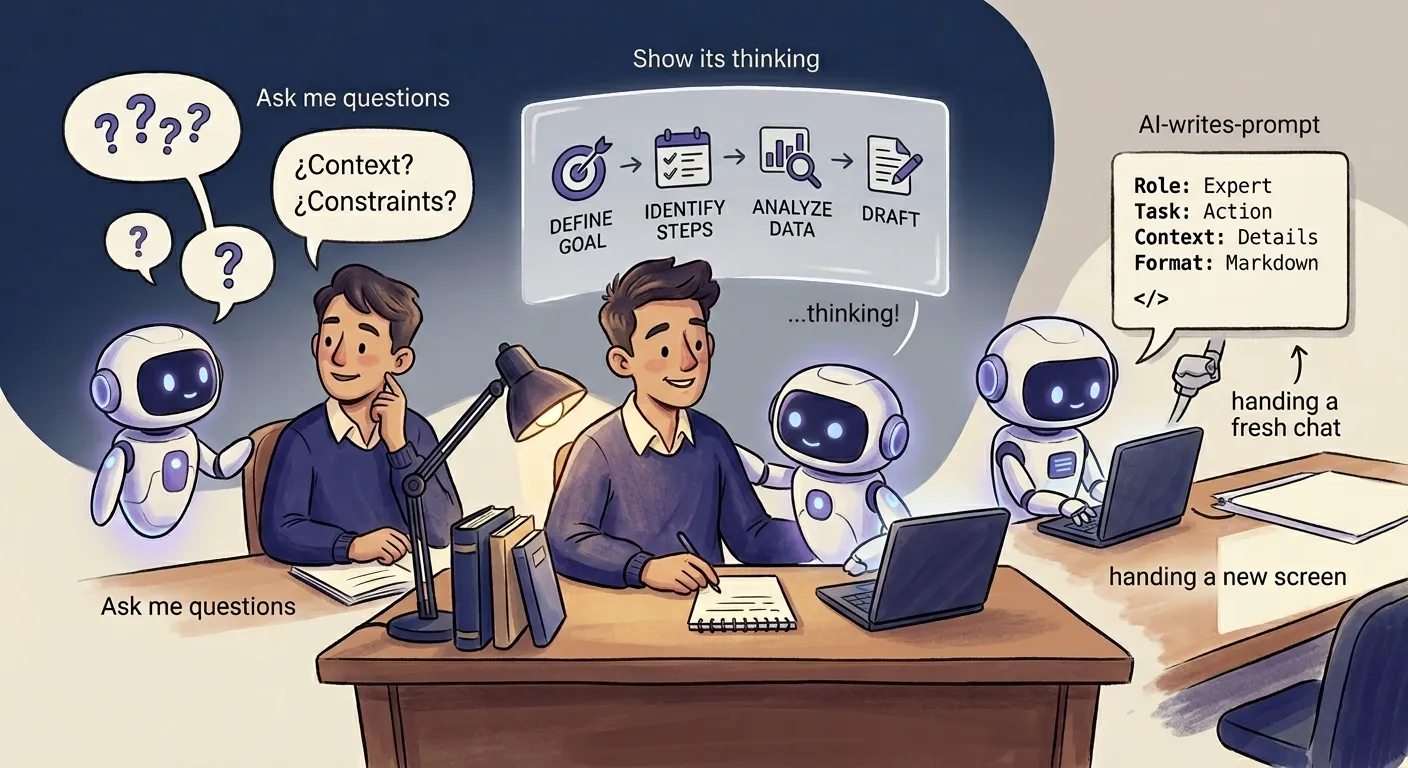
When you prompt AI without giving it enough context, it fills the gaps with assumptions. Those assumptions are generic by design, because they have to work for anyone asking a similar question. The output that follows sounds plausible but misses the specifics of your situation, and the back-and-forth that follows is you trying to correct assumptions one by one.
Flipping the dynamic breaks that pattern. Instead of trying to front-load all the context yourself, tell AI what you are trying to do and ask it to ask you questions. That one move changes the exchange: instead of you guessing what to include upfront, AI draws the context out of you through conversation.
How much structure you give this depends on what you are after. Most of the time, just asking it to ask you questions is enough: the questions open a conversation, and the context builds as you go. When you want AI to produce something specific in one pass, a prompt, a brief, a plan, tighten it up: give it the outcome, have it interview you until it has no more questions, and only then produce the thing, so everything it needs is in place before it commits.
The one thing to avoid is letting it fire all its questions at once and answering them in a single round, which is just a form in disguise. Asking one question at a time helps when each answer could change what it asks next, but that is a refinement, not the rule.
Use it when you are scoping a client proposal and want AI to surface deliverables and edge cases you would have missed. Use it when you are writing a business plan section and the blank page is the problem. Use it when you are building an audience persona from real clients and need AI to draw out what you know rather than produce a generic template. Any task where the relevant context lives in your head rather than on a page is a candidate.
A simple version: “I need to [task]. Ask me questions until you have what you need, and we will go from there.” When you want it to build something specific: “I want [outcome]. Interview me until you have no more questions, then produce it.”
Get AI to Show Its Thinking
AI presents its output with confidence regardless of how well it reasoned through the problem. It does not flag when an assumption does not apply to your situation, when it has missed a cost, or when it is answering a slightly different question than the one you asked. The polish of the response is consistent whether the reasoning behind it is sound or not.
Asking AI to work through its reasoning step by step, before it gives you an answer, makes the logic visible. You can see where the assumptions are right and where they are off. You catch the cost it did not account for, the constraint it ignored, the risk it glossed over. The answer you get may be the same, but now you can evaluate it.
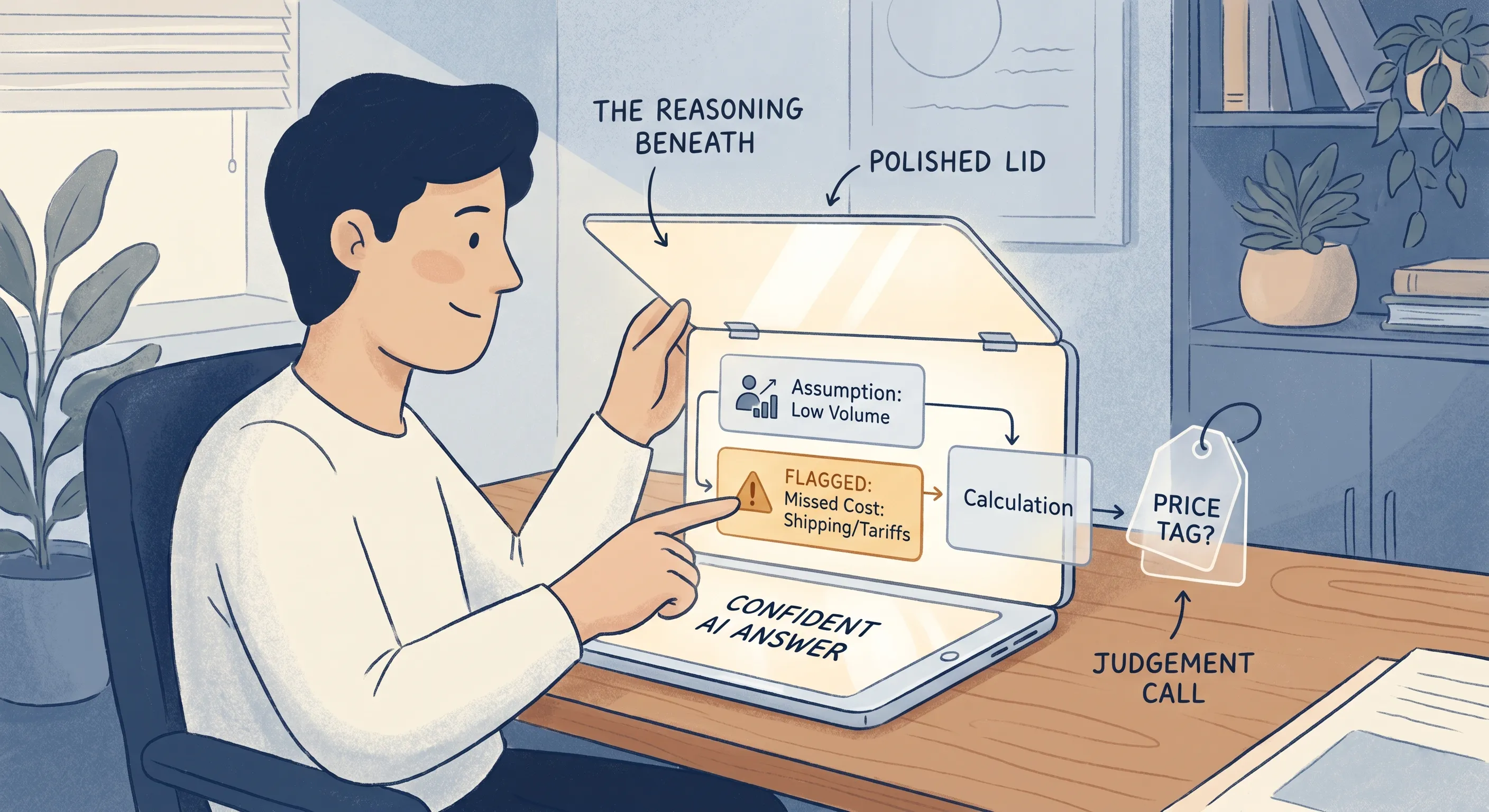
This is also the defence against sycophancy. That is the trap where AI backs your implied conclusion instead of pushing on it, and it bites hardest when an answer arrives clean and confident. When AI has to externalise its reasoning before reaching a conclusion, it is harder for it to slide into validation. It has to actually work through the problem.
Use it before you commit to a price, a budget, or a quote. Use it before a decision you cannot easily reverse. Use it when the answer came back quickly and confidently and something about that feels off. Use it to stress-test a plan before you present it.
A simple version: “Think through this step by step. Show your assumptions before you give me an answer.”
Use AI to Prompt AI
The mental shift this technique requires is more significant than it sounds: you do not need to write prompts. You need to describe what you want a prompt to do, and let AI write it.
That shift also opens up something less obvious. When AI writes a prompt, you can read what it produced. Over time, reading well-constructed prompts teaches you what good prompts contain: what context to specify, how to describe output requirements, what role to give it, what constraints to build in. You absorb it through exposure, without ever studying prompting as a subject. The much-repeated advice to tell AI to “act as” an expert is one of the things you pick up this way, which is why it does not need its own move. It also assumes you already know which expert to ask for, and for anything with real depth you often do not, which is exactly what the first move is for.
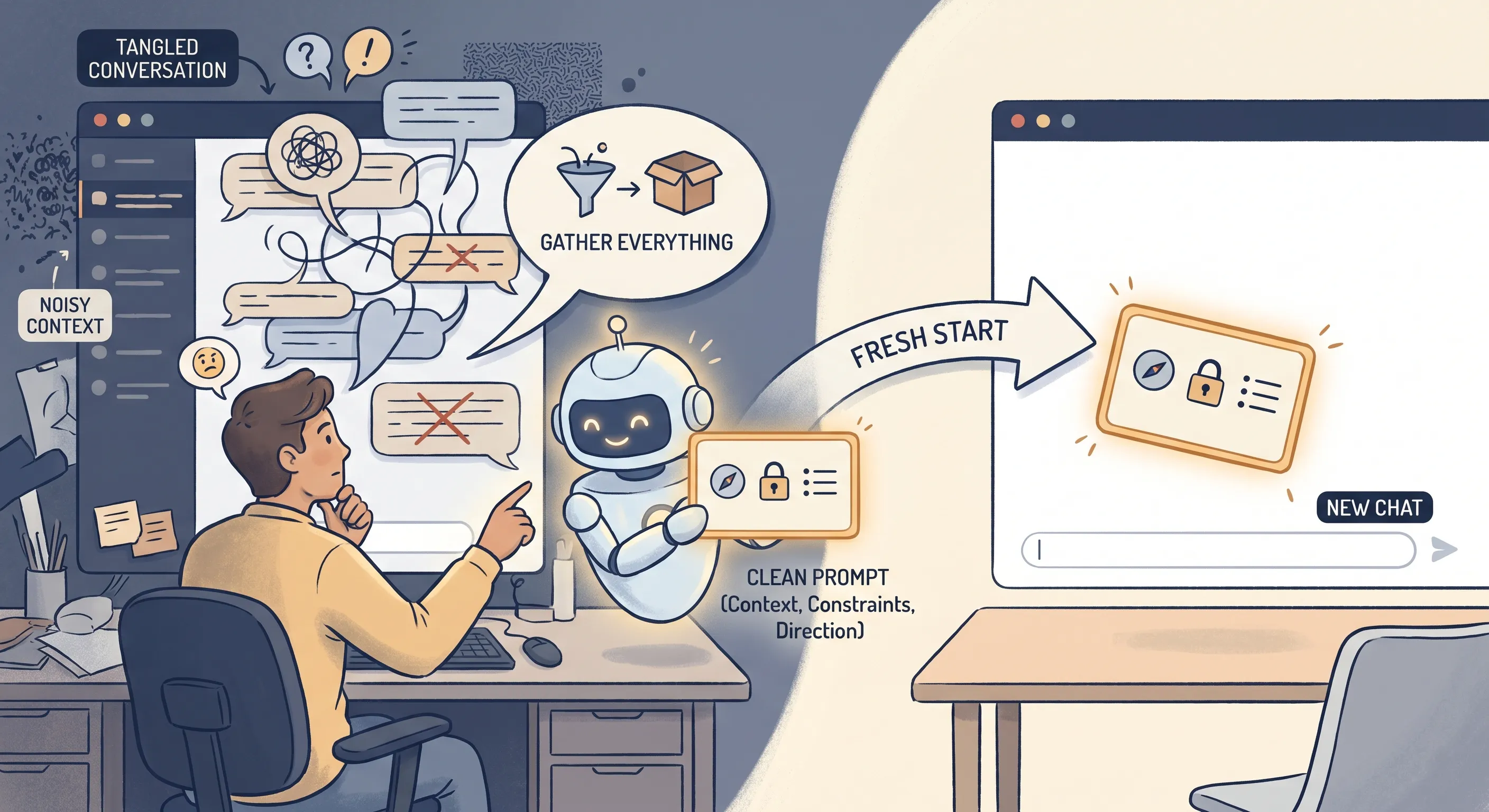
The most immediate use is context transfer. Sessions go off track. A long conversation takes wrong turns, or runs long enough that AI starts losing grip on what you established earlier. Rather than continuing in a session that has degraded, ask AI to extract everything it learned (your context, your constraints, the direction you settled on) and package it into a prompt you can paste into a fresh chat. You start clean, with exactly what matters and none of the noise.
The same mechanic applies to research. When you need a structured investigation, design the research prompt in one session and run it in a research-capable tool in another. The design session is about specifying what to look for, how to organise the findings, and what to exclude. The execution session produces a report.
For anything you produce repeatedly (product descriptions, client summaries, recurring reports), build the prompt once with your tone, structure, and required output, then run it in a separate session each time. The same applies to setting up custom instructions in tools that support them: Custom GPTs, Projects in Claude, Gems in Gemini. Ask AI to write the instructions rather than writing them yourself.
In all cases, ask AI to deliver the prompt in a markdown box. It makes the prompt easy to copy with formatting that the next tool will read correctly.
For context transfer: “Read back through this conversation. Extract everything I have told you about [the situation/task/project] and write it into a prompt I can paste into a new chat to continue from here. Put the prompt in a markdown box.”
For a reusable prompt or research prompt: “Help me build a reusable prompt for [task]. It needs to produce [output] every time. Put the prompt in a markdown box.”
Making It a Daily Thing
Knowing the three moves is one thing. Turning them into something you reach for every day is another.
The Three Moves on a Single Task
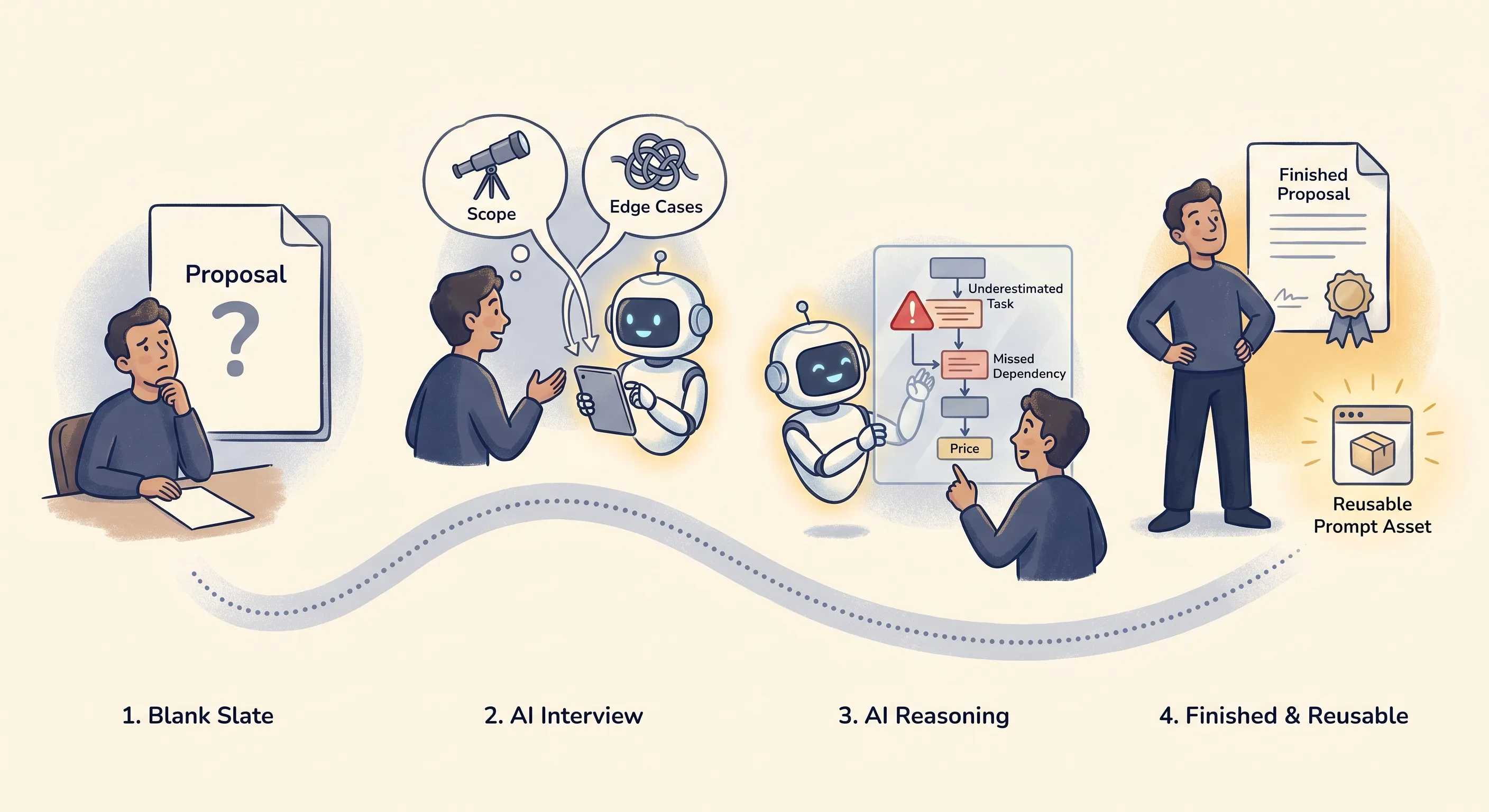
Here is what the moves look like together. Say you need to put together a proposal. Instead of opening a blank document:
- Start with the first move: tell AI you need to write the proposal and ask it to interview you until it has what it needs. It draws the scope, the constraints, and the edge cases out of your head, the ones you would not have thought of until the client raised them.
- Before you commit to a price and a timeline, use the second: ask it to think through the scope step by step and show its assumptions before it tells you what to quote. Now you can see the task it underestimated and the dependency it missed, rather than discovering them after the number has gone out.
- Once it is right, use the third: ask it to turn what you have built into a reusable prompt for scoping proposals, in a markdown box. The one-off becomes something you run every time a similar job comes in.
Three moves, one task. The blank document never happened, the quote was stress-tested before it left, and you finished with an asset you will use again.
Start With One Thing
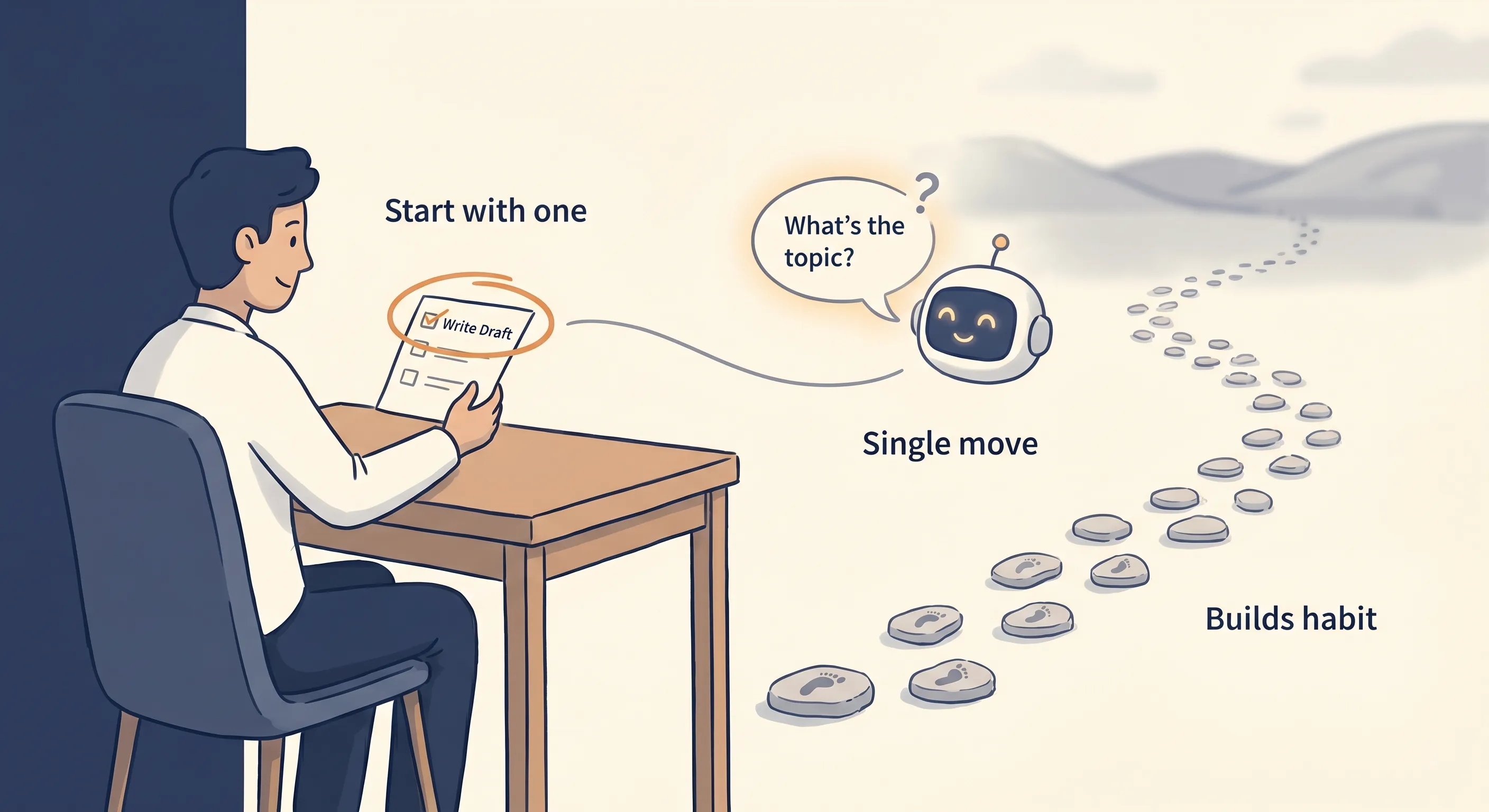
You do not need to do all of that on day one. The way this becomes daily is not by overhauling how you work, it is by lowering the bar. Pick one real task you have this week, something with enough depth that the back-and-forth would normally frustrate you, and run the first move on it. That is the whole starting commitment. One task, one move. The rest follows from repetition, not from a plan.
The Colleague Next to You
What turns it into a daily habit is a small shift in reflex. Picture the new team member from the start of this post, no longer someone you onboard occasionally but a colleague sitting next to you. This colleague is an unusual one: they have read more than anyone you will ever meet, and they can draft, analyse, and build things with you rather than just weigh in. What they do not have yet is your context, your business, your standards, the specifics of the task in front of you, which is exactly what the three moves supply.
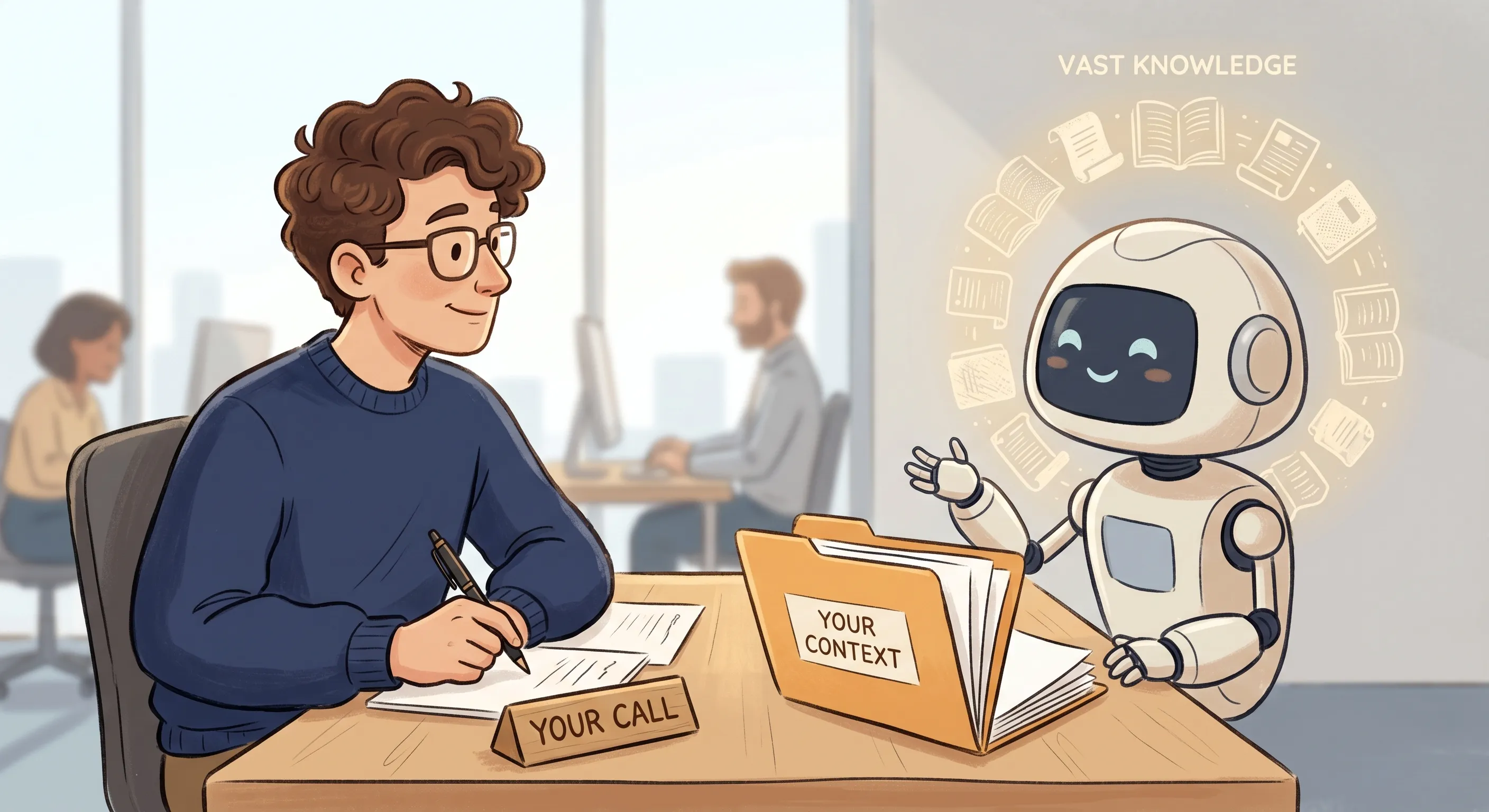
The habit is simply turning to them. Before you do a task alone, ask whether a colleague who knew almost everything, but not yet your situation, could help you do it better or faster. Drafting something difficult, thinking through a decision, scoping a piece of work, getting a second opinion before you send, if the answer is yes, that is a task to bring AI into.
The point is not to use it for everything, it is to stop defaulting to doing things alone when you do not have to. The judgement stays yours, the same way it would if the colleague were real. They help you think and help you build, they do not sign off your work.
These are starter moves, and each has deeper variants you will find as you go. What follows is less a set of instructions and more how my own practice grew from here: the techniques and tools I picked up, adapted, and sometimes dropped. Some of it builds on the three moves. Some of it went somewhere else entirely. That range is the point, because the real outcome of this level is not a list of techniques, it is the judgement you build by using them.
Where Showing Its Thinking Took Me
The biggest single shift came from pushing one of those moves, getting AI to show its thinking, far further than a single request. I picked the technique up from Chris Mercer, who calls it Ping Pong Prompting.
The core of it was a prompt that made AI rate its own understanding before it answered. It scored its grasp of the result I wanted out of 10, and separately scored its understanding of the hidden intention behind that result. Wherever it scored below 10, it had to list the questions it still had and its best guesses at the answers, then run the analysis again, looping until it reached 10 out of 10 on both. You paste your rough request underneath and let it work.
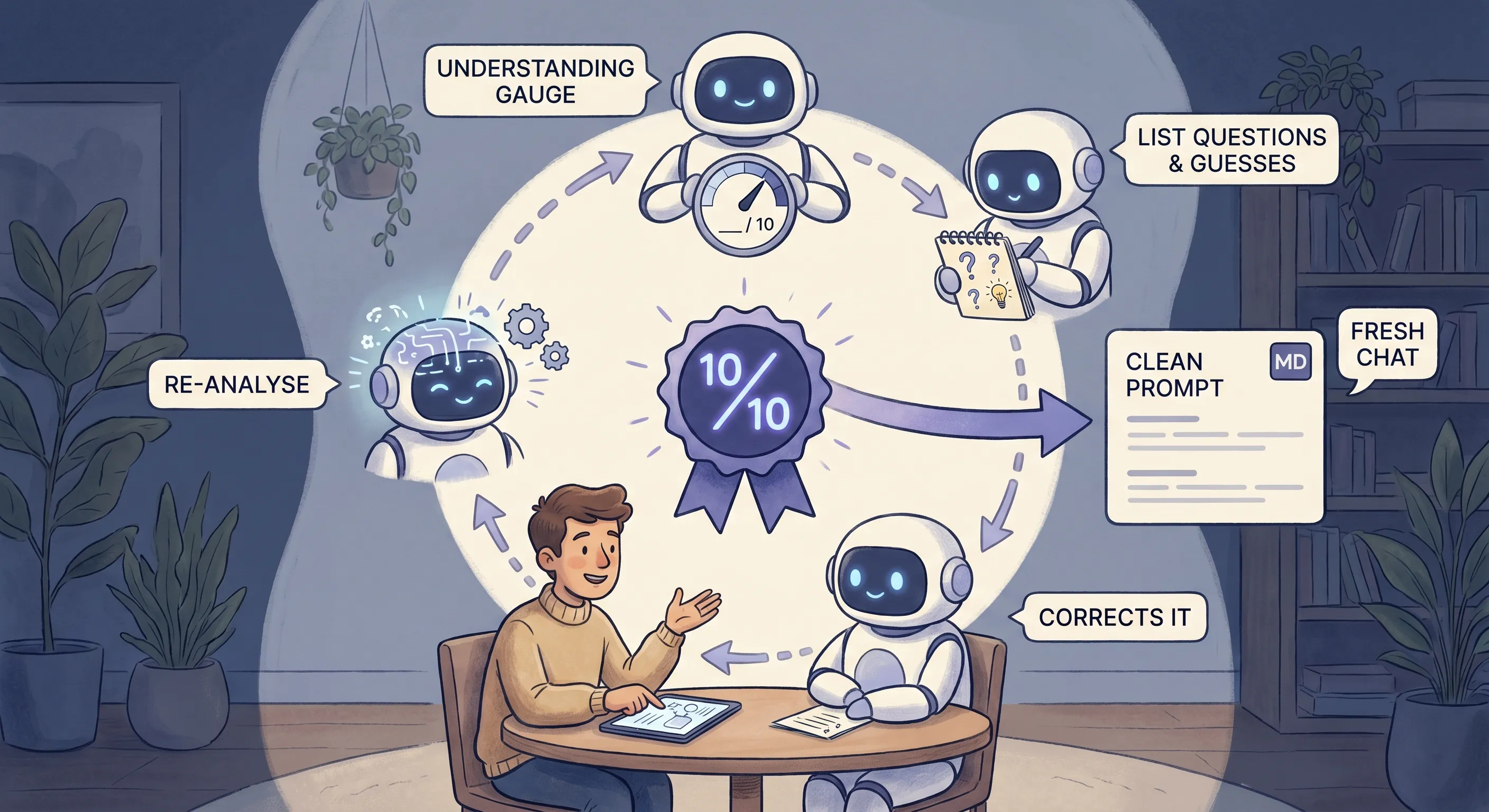
That is where it stopped being frustrating. AI lays out its reasoning, you see where its assumptions are right and where they are off, you correct the ones that are wrong, and it re-analyses. The dynamic changes from asking and receiving to building something together. Watching it reason, and steering it as it went, is what moved me from “impressive but frustrating” to “I can actually use this.”
Once it understood what I wanted, I did not carry on in that chat. By then the conversation was full of corrections and dead ends, exactly the conditions that bring on context rot. Instead I asked it for a clean prompt in a markdown box that I could take into a fresh conversation to produce the result. So I was using one move to build understanding and another, using AI to write my next prompt, to act on it. That pairing became my default way of working.
Chris’s original had a second half that wrote that next prompt for you automatically, scoring and refining it the same way. I used it for a while, then dropped it. It tended to stray, it left me with two things to judge instead of one, and it took back the control I wanted. Keeping the part that made AI’s thinking visible, and writing the handoff prompt myself, gave me a better result with less to second-guess. It was an early lesson in taking the parts of a technique that serve you and leaving the rest.
Asking More Than One LLM the Same Thing
Most of my daily work ran through Gemini, mainly because a Google Workspace plan gave me a higher quota, and because using it that way meant my data was not being used to train the model, which matters when the work involves a real business.
But I got into the habit of putting the same thing to more than one model. Sometimes it was for a second perspective, on something trivial or something that mattered. Sometimes it was the handoff: I would take that clean prompt and run it in two different tools to see which result I preferred. Sometimes it was deep research, run in more than one place and compared. Different models have different blind spots, so asking more than one is a quiet hedge against any single model’s confident wrongness.
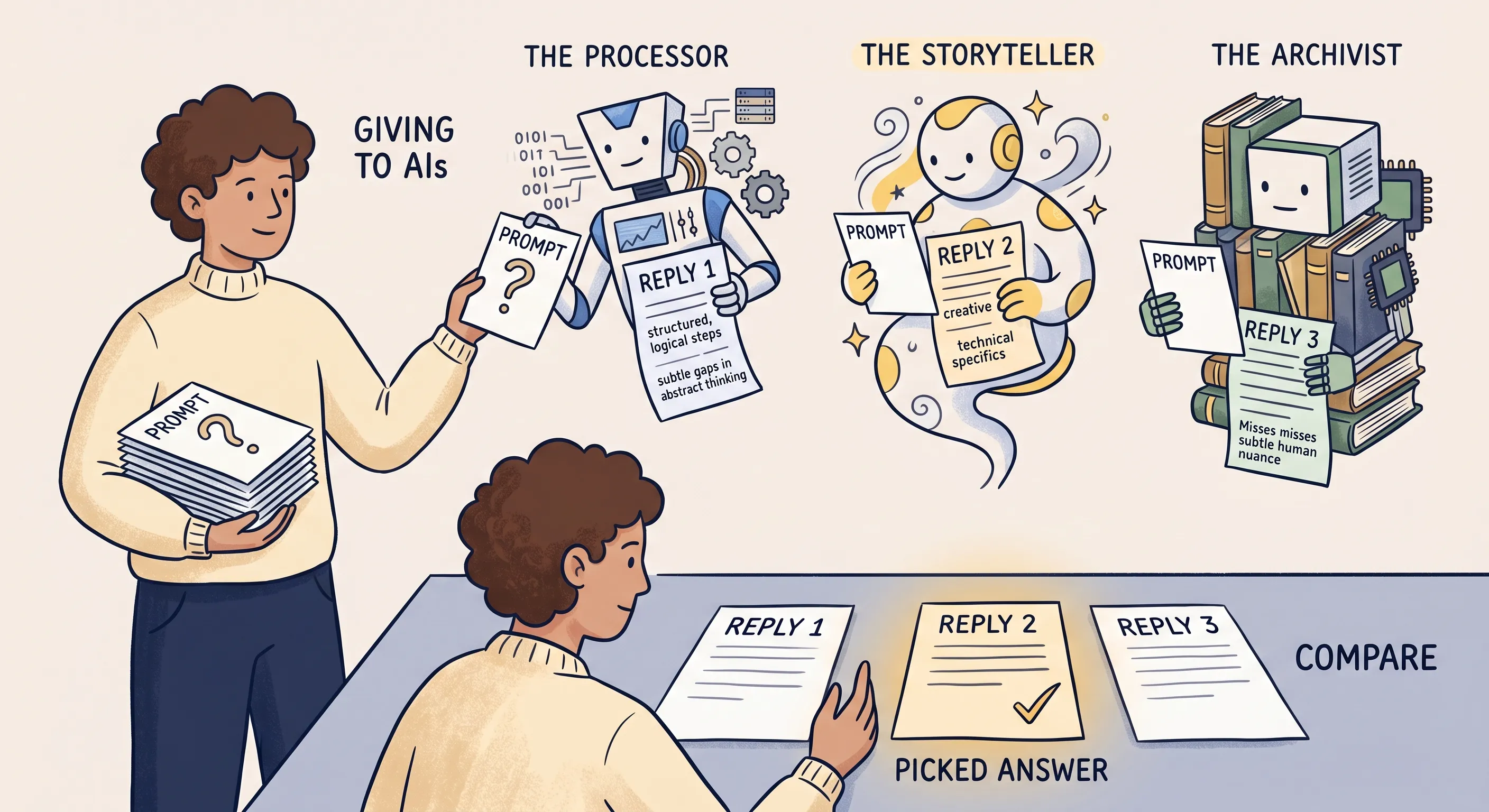
That habit is also where the first of the three moves came from. Feeding the same prompt to several tools, I noticed that some would ask me a clarifying question or two before they attempted an answer, and those answers were consistently better. So I made it a standing instruction of my own: ask me any clarifying questions you need before you give me anything. Getting AI to ask you questions was not something I invented. It was something I noticed one model doing and decided to ask all of them for.
Going Deeper and Hitting a Wall
After running the same loop daily for a while, I plateaued. It had changed how I worked, but I could feel there was more to find. So I used the prompt itself as the basis for deep research into the wider landscape of prompting techniques.
The research surfaced approaches I had never heard of: tree of thought, chain-of-verification, reason and act, and others. It also told me that the prompt I had been leaning on had a name. What I had stumbled into was a metacognitive loop, a recognised way of drawing structured reasoning out of a model. I had not invented anything. I had been using an established pattern without knowing it.
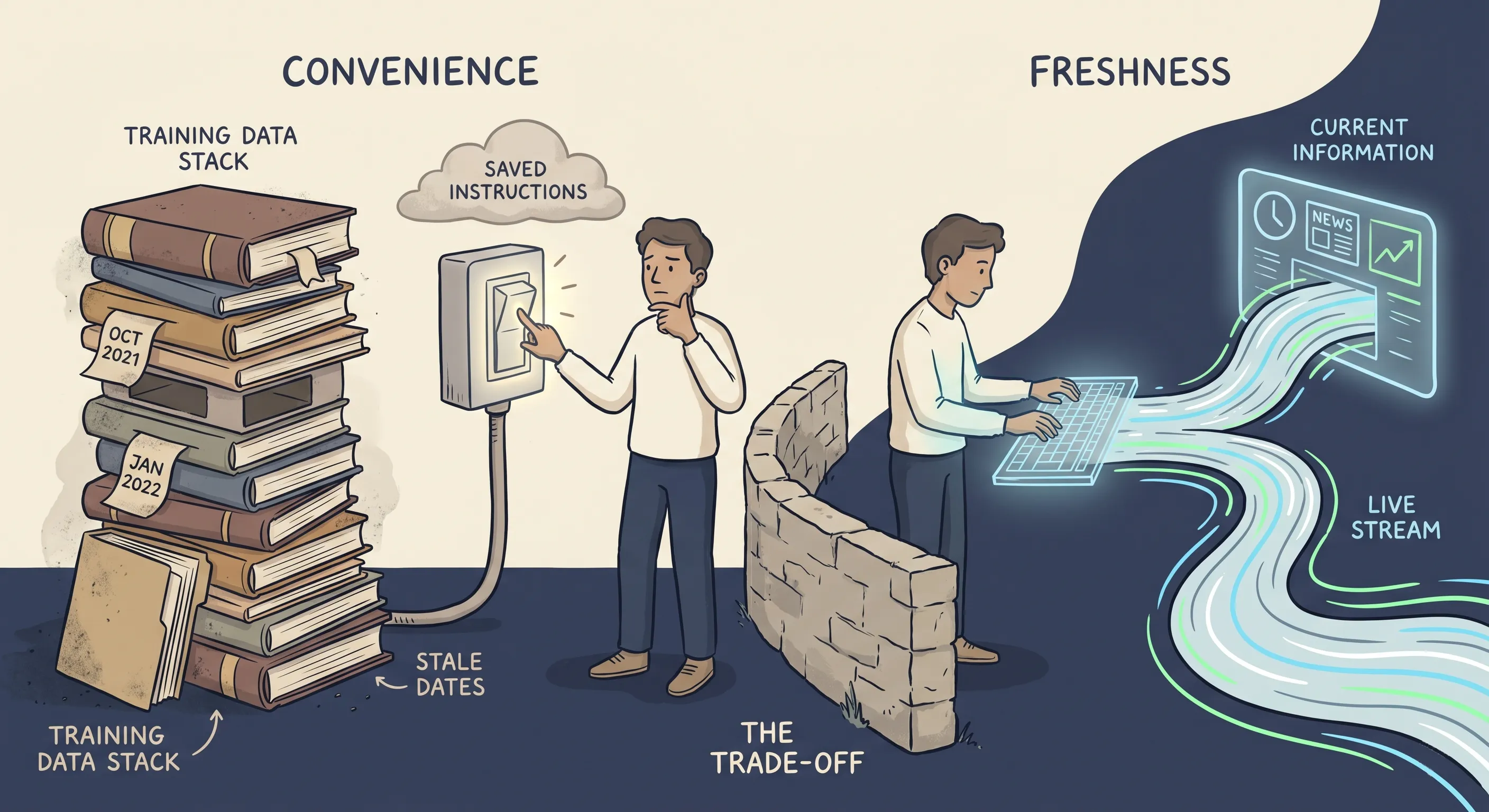
I took that research and had AI build me a new starting prompt, which I called Architectural Control, meaning to bake the better reasoning behaviour in as default instructions on the tools I used, Gems in Gemini and Projects in Claude. It worked for a while, then I hit a wall. When a model runs from saved instructions rather than a live prompt, it seems to lean harder on its training data. I started seeing stale dates and gaps around anything recent, so I went back to prompting directly each time. That is worth knowing if you are ever tempted to load everything into a Custom GPT or a Project: the convenience can cost you freshness.
By then the techniques had stopped being things I looked up and become things I reached for by feel. For something nuanced I would happily spend twenty minutes crafting a single prompt by hand, not because I was following a framework but because I had developed a sense of when nuance mattered and how to express it. I knew when a problem wanted a metacognitive loop and when it wanted something else, without a starter prompt in front of me. That is what internalisation looks like, and it only comes from repetition.
Research as a Context Engine
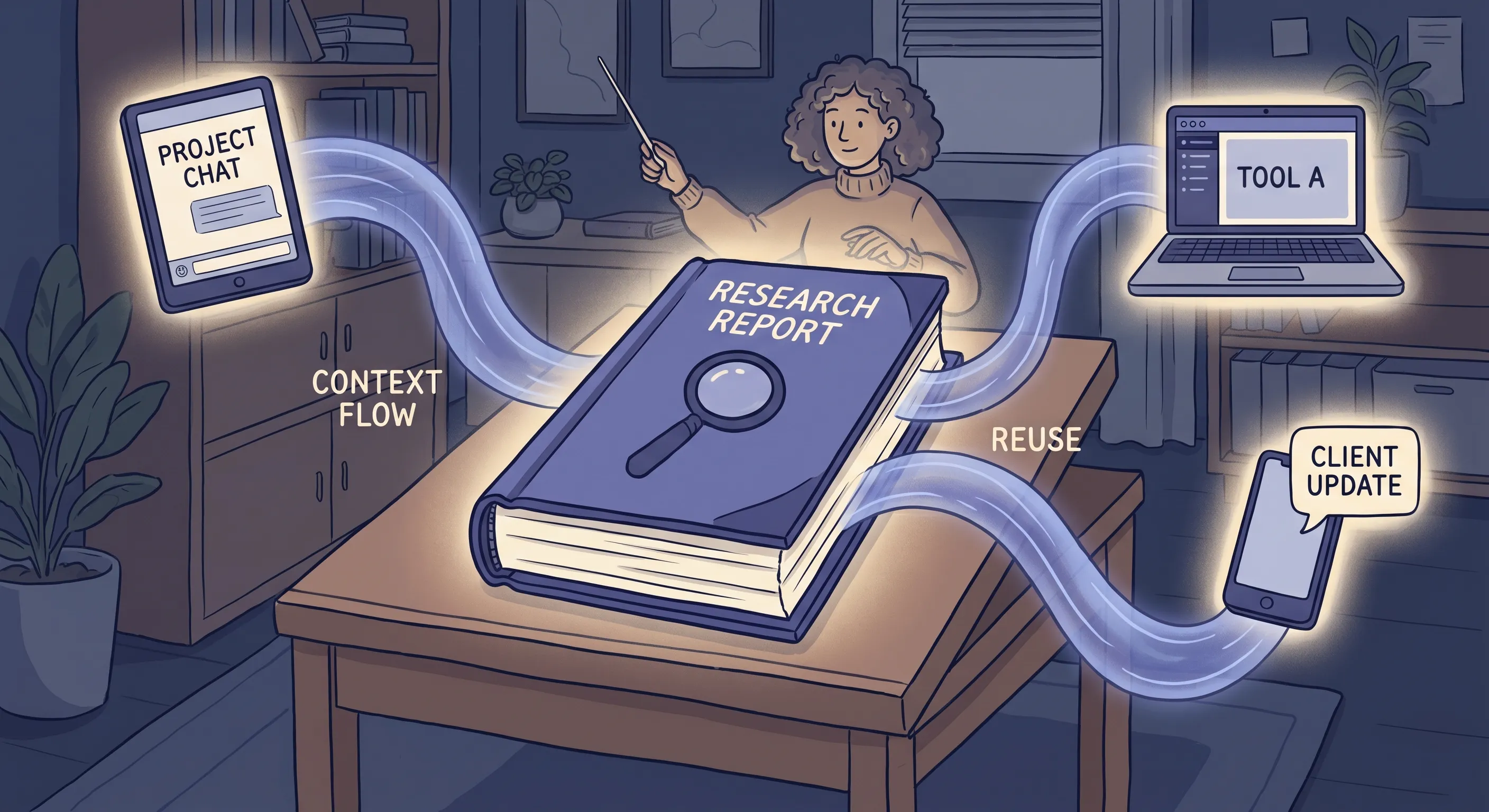
There is a second way to use deep research that took me longer to see, and it has little to do with finding answers. A thorough research report is not just something you read once. It is context you can reuse.
Once you have a solid research output on a topic, you can feed it into other conversations, tools, and systems, and they start from your background rather than from nothing. You stop re-explaining the same ground every time. Writing the research prompt is one skill, the move of using AI to set up an investigation. Using the report as a standing brief you hand to the next tool is a different one, and it is what turned AI from a series of separate chats into a connected way of working for me.
What This Level Actually Builds
Go through Work with Me properly and you come out with something you cannot get any other way: a calibrated sense of what AI can and cannot do.
You learn that AI has no judgement, not as a line in a blog post but as something you feel the moment it confidently misses the point. You catch a hallucination because something does not smell right. You sense context rot setting in before a session falls apart. You know when to trust the output and when to push back.
Models will keep improving, and some of what these techniques do by hand will become automatic in the tools themselves. That does not make the skill redundant. Knowing how to see the way AI is reasoning, and when to trust it, is what lets you use the better models well rather than just faster. None of this is theoretical. It accumulates from working with AI every day on real work that matters, and it is the foundation everything above this level is built on.
Level 3: Build with Me
At some point, Work with Me shifts into something different. You are no longer just collaborating task by task. You are starting to create things that persist and run beyond any single conversation: systems, workflows, tools.
That shift is Build with Me.
Building in the Work Itself
This happened for me in content work before I consciously thought of it as building.
I had developed a workflow: deep research to create background context, then use that context to produce a draft. But I kept running into a tendency, in every AI tool I used, to take liberties. Give it one section to edit and it changes three things. Ask for a revision and it restructures what did not need restructuring.
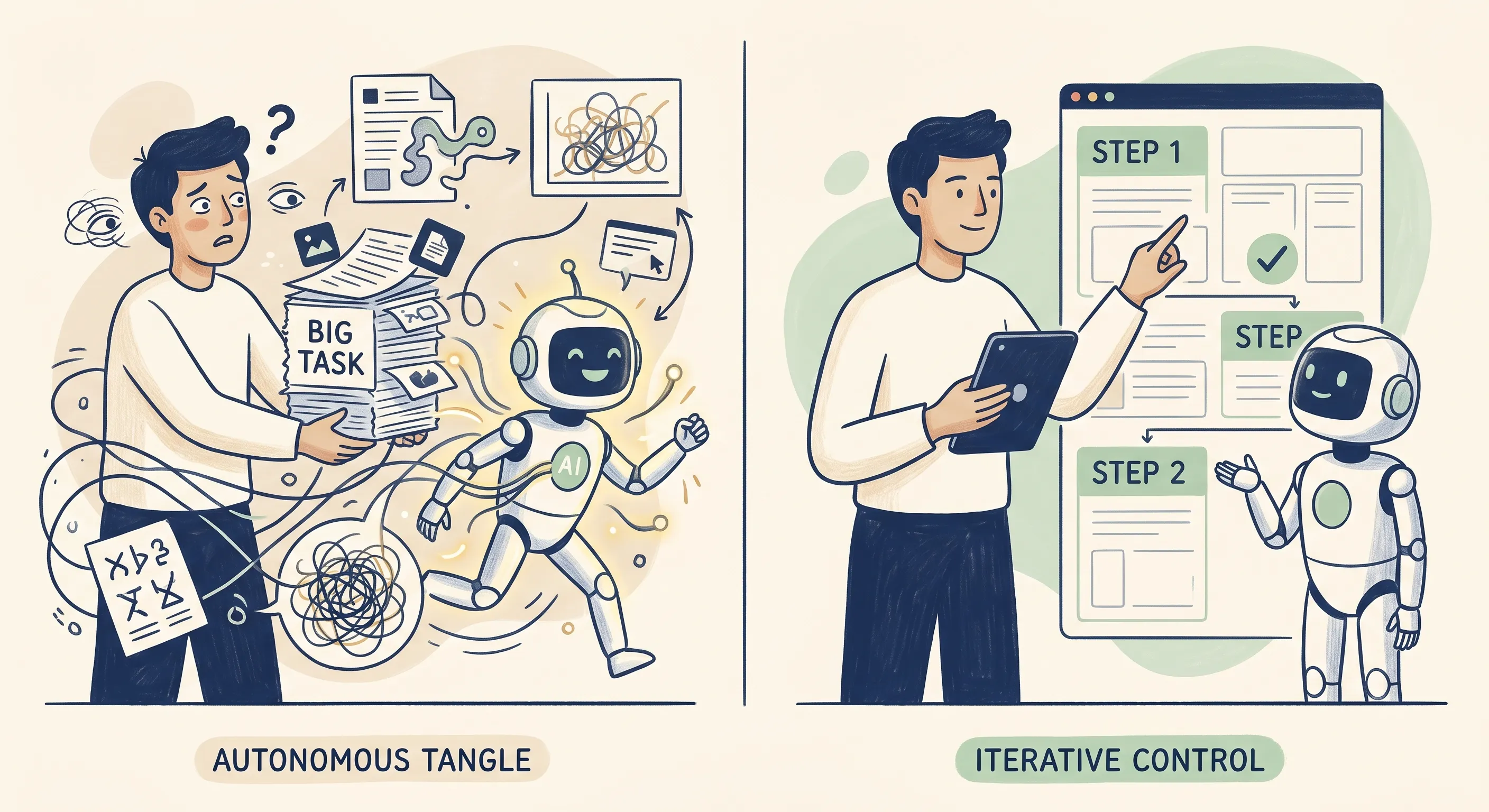
The discipline I developed was step-by-step instruction. Do not give AI a large task and let it run. Break it down. Implement changes piece by piece. Review before moving forward. That is building behaviour: you are not just working with AI, you are architecting how the work gets done and maintaining visibility over the result.
What Coding Taught Me About Judgement
When I got into coding work in mid-2025, AI was a significant productivity boost. Things that would have taken me considerably longer moved faster. But troubleshooting is where the limits show up clearly.
When something is not working, AI goes into diagnostic mode, and sometimes it leads you down rabbit holes. Trying one thing, then another, each suggestion plausible but none getting to the root cause. I had to draw on my own engineering experience to say: stop, this is going in circles, let us back up and look at what we actually know.
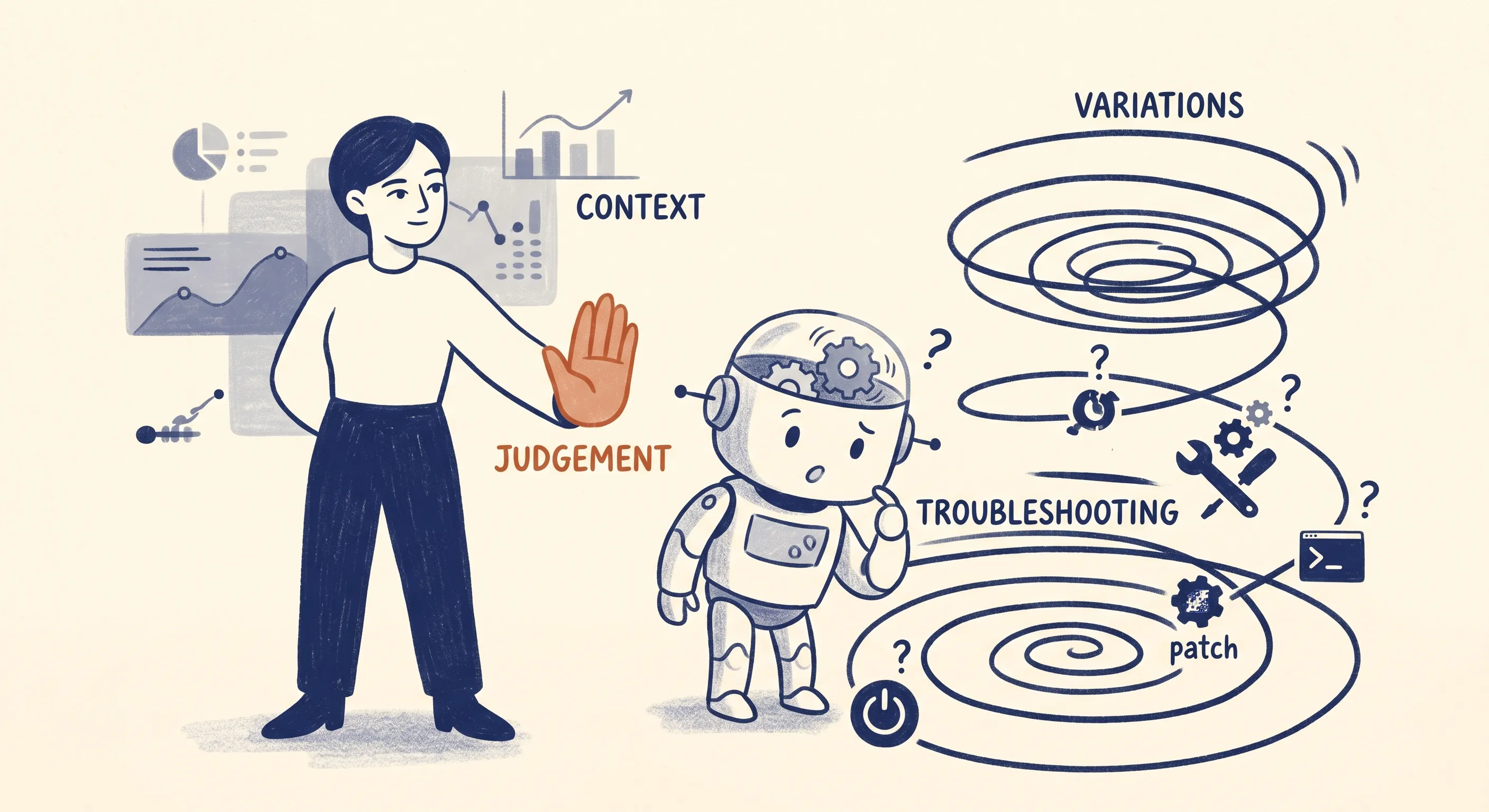
That is a judgement call AI cannot make. It does not know when to stop. It does not know when the approach is wrong rather than just the implementation. It will keep trying variations if you let it. Knowing when to pull it back is something that only develops from working with it, which is exactly why Work with Me has to come first.
The step-by-step discipline also became essential at a larger scale. When AI outputs a large block of code, it often changes things it was not asked to change. If you implement that wholesale without understanding what changed, you have lost visibility over your own system. Going step by step, make this change, explain what you are doing, let me implement it, then move on, keeps you in control and keeps your understanding building alongside the work.
The Systems Shift
After that initial period of coding work, I pulled back and focused almost entirely on blog posts for several months. When I returned to coding at the end of 2025, the difference was immediate. The models had improved, even on the same browser-based chat tools I had been using before, and the troubleshooting loops that had frustrated me earlier were far less common.
The bigger shift was not a better model. It was a different kind of tool. In a chat window, AI can only talk back to you; you are still the one copying its output into files and running things yourself. I moved to Claude Code, which works directly inside my projects: it reads and writes the actual files, runs commands, and takes several steps on its own. The term for this layer around the model is a harness, and it is where a huge amount of the productivity actually comes from. The model is the intelligence. The harness is what lets it act. Work that would have taken weeks started moving in hours, and the model underneath had barely changed.
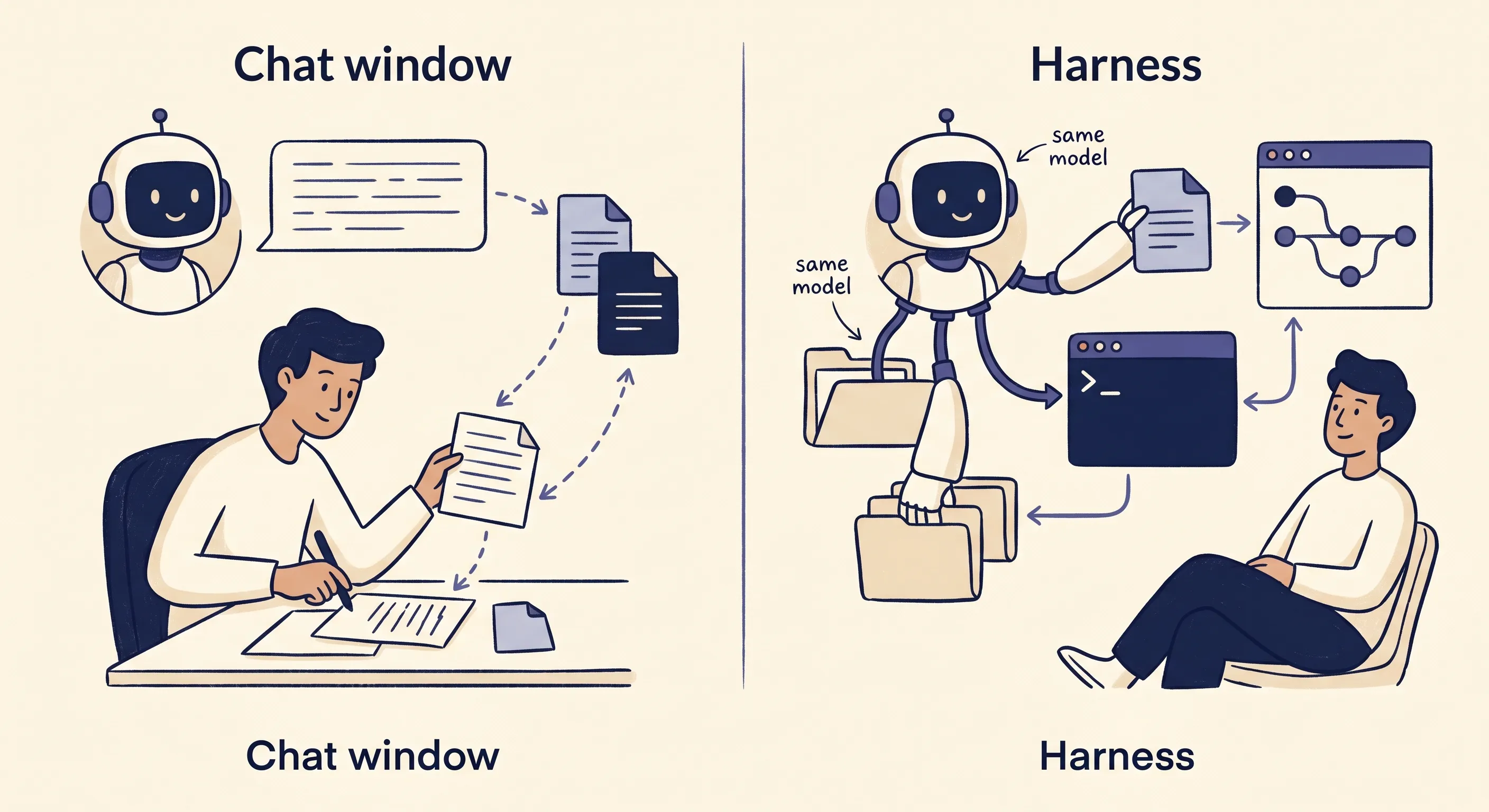
This is no longer only a coding story. The same capability is arriving for everyday knowledge work. Anthropic’s Claude desktop app now bundles three modes: ordinary Chat, Cowork (the same agentic, file-handling power pointed at non-coding work), and Code. OpenAI’s Codex is a well-regarded harness in the same space, though I have not used it, my own work is built around Claude for now. The names will change. The shift they represent, from a model that answers to a system that acts, is the part worth understanding.
My background is mechanical engineering, and I immediately saw the implication: this was the ability to create systems for everything. Not individual outputs, but connected, persistent infrastructure spanning files, version control, and external services. Getting into automation tools and the integrations that let AI connect to those services followed naturally from that shift.
Build with Me is where the mindset changes from “AI as assistant” to “AI as co-architect.” You are no longer just getting outputs. You are creating things that run.
Level 4: Do for Me
This is where AI itself operates autonomously: not just running the automations you built, but reasoning and deciding as the work happens, handling tasks and adapting when something unexpected comes up, without you in the loop for every step. That is the line between this level and the last. At Build with Me you create systems that follow fixed steps you set. At Do for Me, the AI drives the steps.
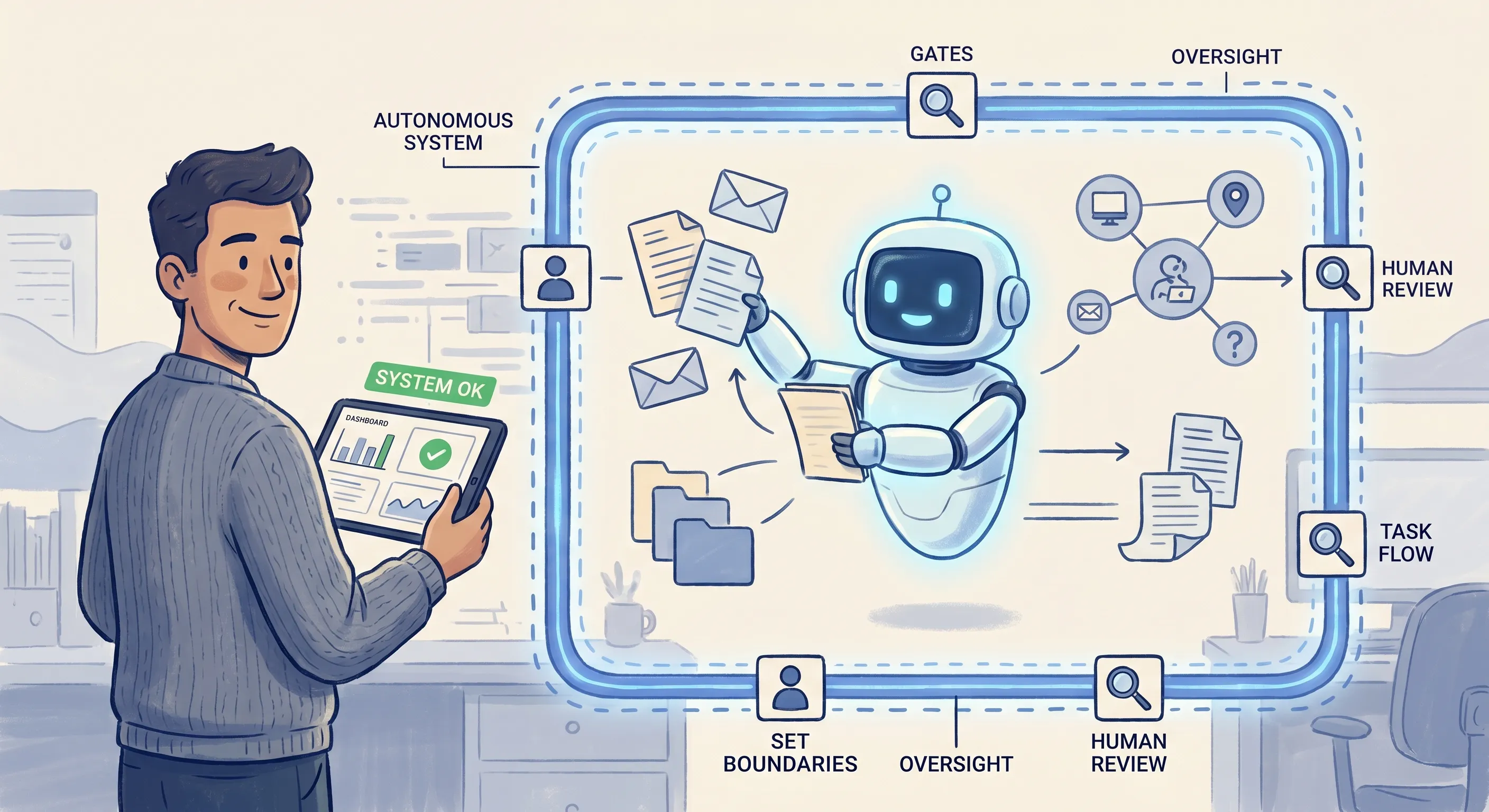
It is also the level most people try to reach first. And that is directly why the failure rate is so high.
But it is worth being precise about what the dangerous skip actually is. Using a contained agent on low-stakes work it hands back for you to review, a research agent, or a coding assistant whose output you check, is not the skip. That is a safe on-ramp, and increasingly a normal part of daily work. The skip that fails is handing consequential autonomy, the kind that acts on real customers, money, or data on its own, to a system you do not understand well enough to oversee. The danger was never the autonomy. It was autonomy running ahead of the control and understanding that keep it safe.
Do for Me is not a product you buy or a tool you install. It is a state you arrive at because you understand and control the systems running on your behalf, whether you built them or adopted and configured them deliberately, well enough to oversee them, audit them when something goes wrong, and adjust them when the world changes.
The reason it is safe to have AI acting autonomously in your business is not because AI has become trustworthy in some abstract sense. It is because you understand and control the workflow. You defined the boundaries. You know what the system should and should not do, because you built it, or because you took the time to genuinely understand and configure what you adopted rather than switching it on blind.
Someone who skips to it has none of that control. When something goes wrong, and it will, they cannot diagnose it, cannot fix it, and often cannot explain what happened.
I am currently moving into this level in my own practice, taking the automations and systems I built and handing more of the decisions inside them to the AI, so they start to act on my behalf rather than only running the steps I set. What I know clearly, from having come through the earlier levels, is what I am encoding into these systems. I know the judgements I am embedding. I know the boundaries I am setting. I know what should trigger a human review and what can run without one.
That knowledge is not something you pick up from a tutorial. It accumulates from working through the levels before it, from watching AI think, from building with it, from making the mistakes that teach you where the limits are. Do for Me is earned. It is the result of the progression, not a shortcut around it.
Next Steps
The most useful thing you can do after reading this is honestly assess where you are in the 4Me Progression.
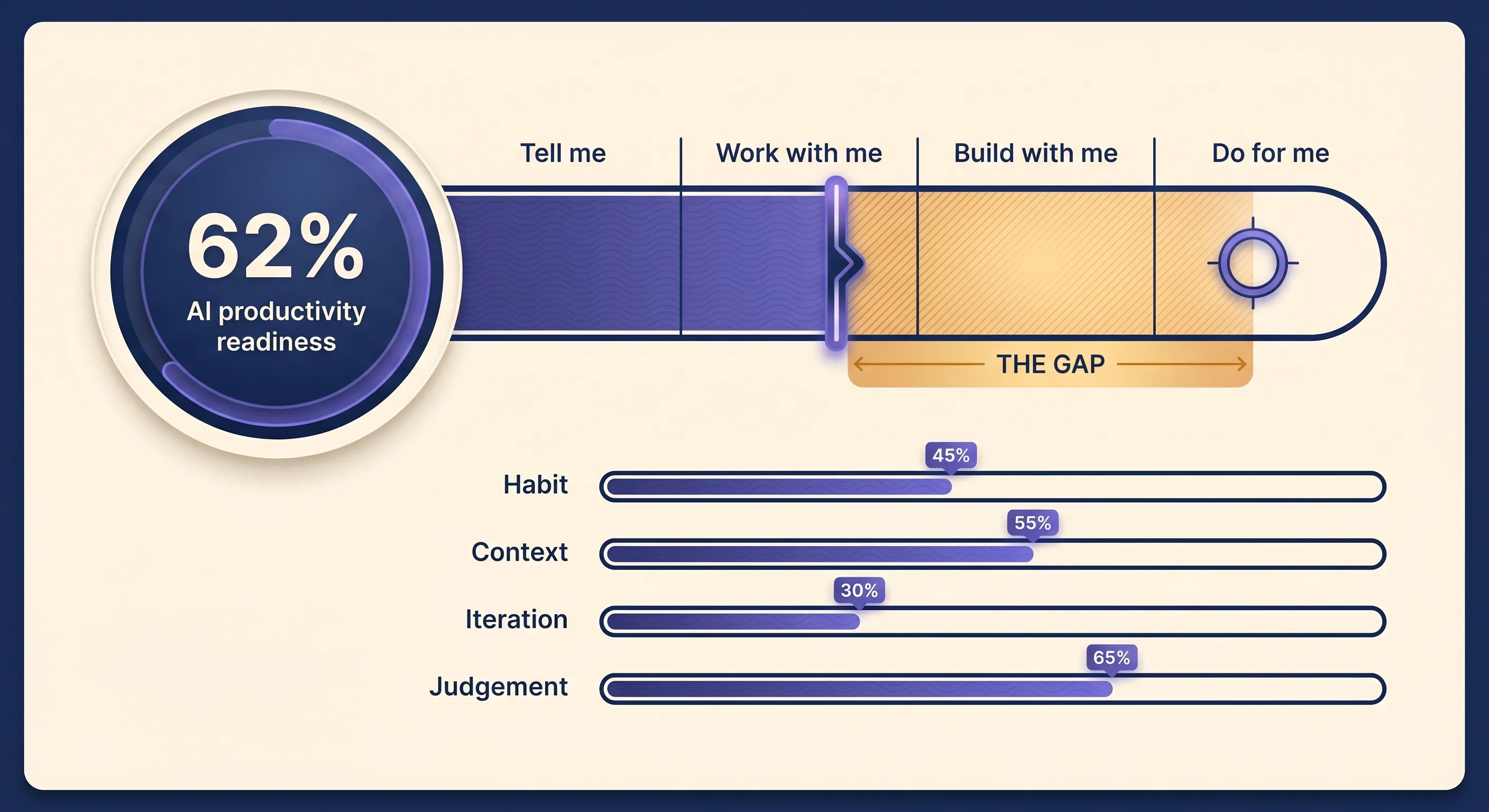
That assessment is exactly what I built the AI Productivity Scorecard to do. It measures how far your genuine skill reaches across the four levels, separately from the tools you have switched on, and surfaces the gap between them, the same gap this post has been about. You get your readiness score and progression bar straight away, and a breakdown of where the gap is and your most valuable next move.
Most people reading this are at Tell Me. Some are using AI regularly but have not yet committed to the daily practice that makes Work with Me compound. If that is you, the move is straightforward: start using AI every day on real work, and use the three moves in Level 2 to change how the conversation starts.
If you are already working with AI daily but have not yet started building, creating systems and encoding your knowledge into reusable prompts and workflows, that is your next level. The step-by-step discipline that develops at Work with Me is the foundation for it.
The progression is not complicated. It is consistent.
Conclusion
The gap between what AI is capable of and what most people experience with it comes down to where they are in the 4Me Progression.
The traps do not go away. They are managed by understanding them, and that understanding comes from working through the levels properly. The high failure rate for AI projects is not evidence that AI does not work. It is evidence that people are skipping the foundation.
The four levels are a description of what actually happens when you learn to use AI well. Tell Me is where you start. Work with Me is where you build the knowledge base. Build with Me is where that knowledge becomes systems. Do for Me is where those systems run. The path through them is the only path that leads somewhere worth going.