
You’ve probably played with ChatGPT. Maybe you’ve set up a Zapier automation or two. You know automation could help your business, but here’s the problem: you don’t know what to automate first, and you’re worried about investing time and money into the wrong things.
You’re not alone. Recent research shows that 96% of small business owners plan to adopt AI and automation, but only 8.8% are actually using it in production. The gap isn’t the technology – it’s knowing where to start and how to prioritise.
This guide gives you a practical framework for identifying, evaluating, and prioritising automation opportunities in your business. Whether you’re a solopreneur or running a team of 50, you’ll learn exactly how to decide what deserves your attention (and budget) right now.
Table of Contents
Understanding What “Automation” Actually Means
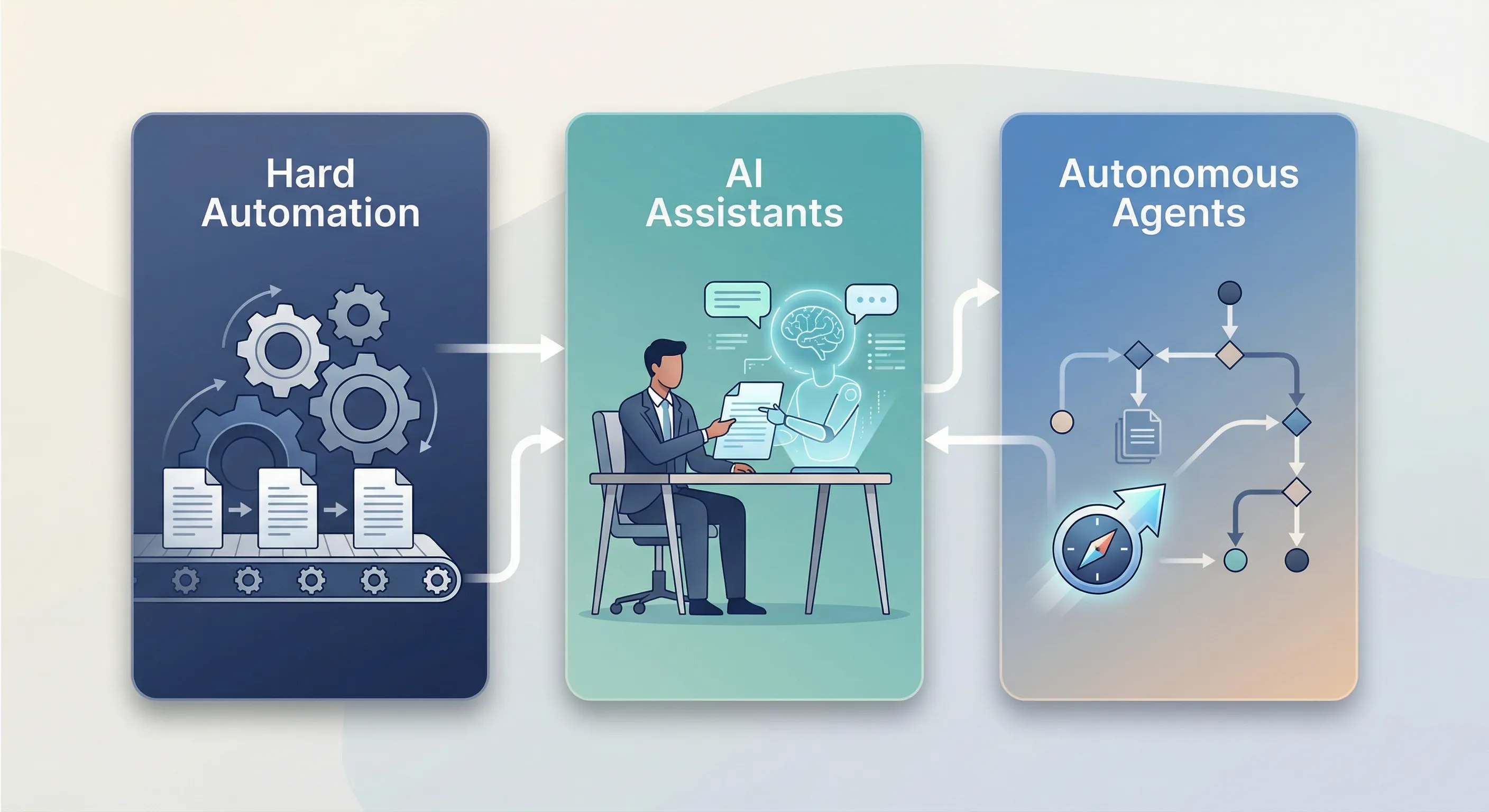
Before you start automating everything in sight, you need to understand that not all automation is created equal. Modern businesses use three distinct types, and knowing which one you need prevents expensive mistakes.
The Three Types of Automation
Hard automation executes fixed rules deterministically. Think “when an invoice arrives, extract the amount and update the spreadsheet.” It’s perfect for high-volume tasks that never vary, but it requires perfect inputs. If something changes (like a vendor switching their invoice format), it breaks.
AI assistants augment your work while you stay in control. When you ask ChatGPT to summarise a 50-page contract, you’re using an AI assistant. You review the output, make judgements, and decide what to do with it. This works brilliantly for knowledge work that requires human judgement.
Autonomous agents achieve goals through multi-step reasoning with minimal oversight. You might tell an agent to “research 10 competitors and draft a comparison report,” and it figures out how to search, analyse, and synthesise the information. These handle complex workflows with variability that would break hard automation.
The critical distinction: hard automation breaks when inputs aren’t perfect. AI agents handle ambiguity. Knowing which type you need saves you from building the wrong solution.
What’s Changed (and What Hasn’t)
The automation landscape has shifted dramatically in the past two years. Small businesses are now only about a year behind enterprises in AI adoption; that gap used to be three to five years for previous technology waves. No-code tools have democratised capabilities that once required development teams. What cost $40,000+ in 2023 now costs $400-4,000 per year for small businesses.
But here’s what hasn’t changed: 88% of AI projects still fail, usually because of poor planning rather than bad technology. The number one barrier remains “don’t know where to start,” cited by 82% of businesses under five employees. And ROI still takes six to 12 months on average to materialise.
The implication is clear: you can’t ignore automation anymore (your competitors certainly won’t wait), but rushing in without strategy wastes money and time you don’t have.
Where You Are Right Now: The Automation Maturity Model
Most businesses progress through predictable stages as they adopt automation. Your goal isn’t to reach the highest stage in everything – it’s to be at the right stage for each process based on business value.
Understanding where you are helps you set realistic expectations and choose appropriate next steps.
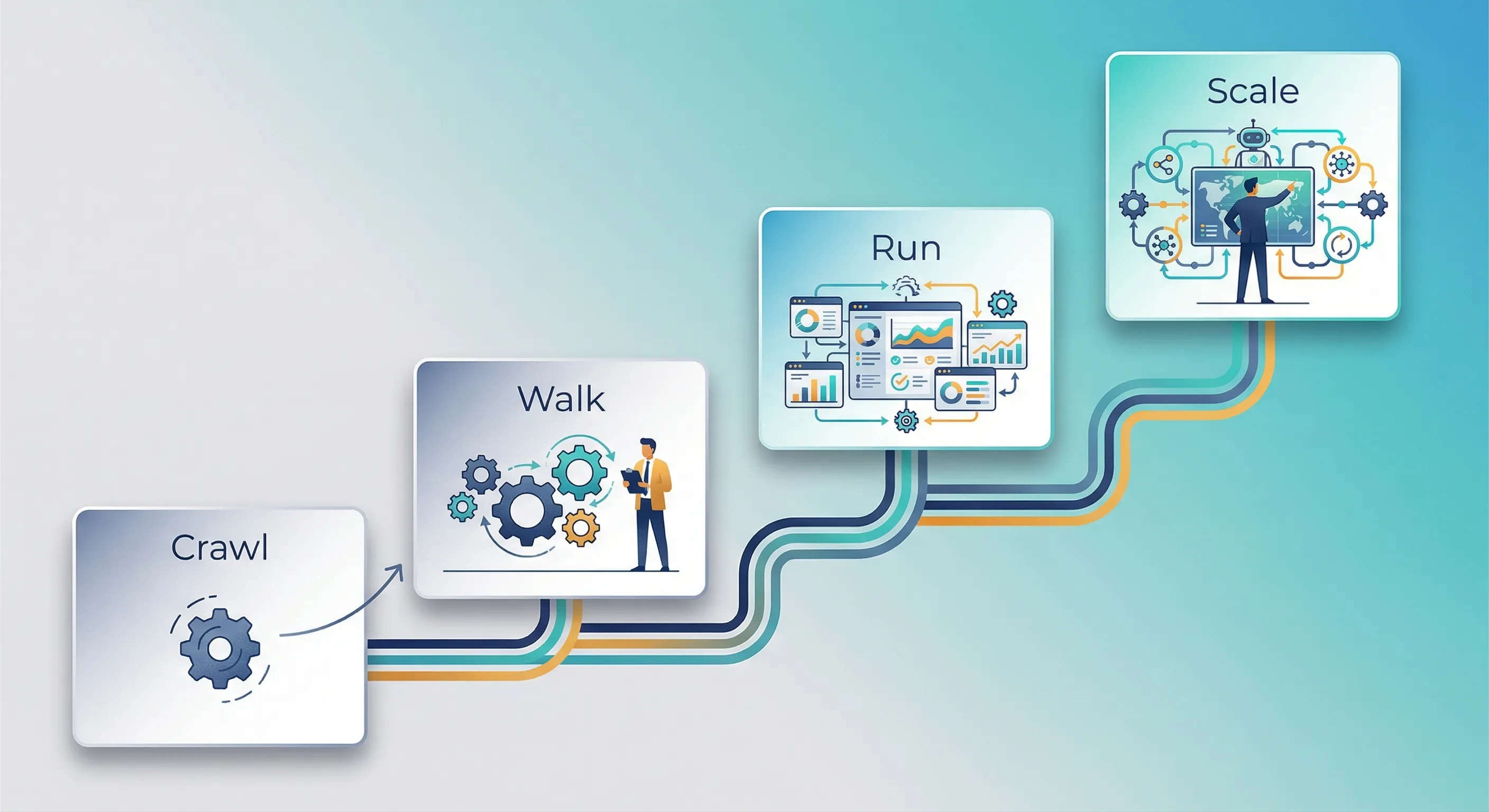
Stage 1: Crawl (Foundation Building)
You’re experimenting with one or two basic automations, probably using free or trial versions of tools. Manual processes still dominate: maybe 80% or more of your work. Your team is either sceptical or unaware of what’s possible with automation.
At this stage, focus on simple wins: email and calendar workflows (like sending meeting reminders automatically), basic CRM data entry from web forms, document templates and e-signatures, or social media post scheduling.
You’ll typically use tools like Zapier’s free tier, Google Workspace automation, Calendly, or DocuSign. Success means saving five to 10 hours per month team-wide, getting one or two team members actively using automation, and having zero “broken automation” incidents.
Red flags that you’re stuck in Crawl: every automation requires someone technical to fix it, automations break when small changes occur (like a new email format), or no one actually knows what’s automated versus what’s still manual.
Stage 2: Walk (Systematic Adoption)
You’ve got five to 10 automations running reliably. They’ve moved from “experiment” to “standard operating procedure.” Your data is cleaner: you’re actively using a CRM and your accounting system is connected to other tools. Team members proactively ask “can we automate this?” instead of waiting to be told.
Now you’re building multi-step workflows, like “lead fills form → creates CRM record → sends welcome email → notifies sales.” You’re using AI to draft emails and summarise meetings. Invoice and payment processing is automated. You’ve got simple reporting dashboards that update themselves.
You’ve moved to paid tiers of tools like Zapier or Make, you’re using marketing automation in HubSpot or ActiveCampaign, and you’ve subscribed to ChatGPT Team or Claude for AI assistance. QuickBooks automation is handling routine financial tasks.
Success looks like 20-40 hours saved per month, more than half your team using at least one automation, and positive ROI on your automation subscriptions.
Red flags you’re stuck in Walk: automations exist but people still do tasks manually because they “forgot,” different team members use different tools for the same task, or there’s no documentation of what’s actually automated.
Stage 3: Run (Integrated Operations)
Automation is now “how you work by default.” You’ve got 20+ workflows running across departments. Your data has a single source of truth; no more wondering which spreadsheet is current. AI agents are handling complex tasks autonomously. You’re proactively monitoring and optimising your automation infrastructure.
You’re automating entire processes end-to-end, from order-to-cash or lead-to-customer. Agentic AI conducts research, enriches data, and creates content. You’re using predictive analytics for inventory forecasting or churn prediction. Five or more systems integrate seamlessly without manual data transfer.
Your tools have evolved to advanced platforms like Make or n8n, full implementations of Salesforce or HubSpot, custom AI agents using frameworks like LangChain, and business intelligence dashboards that give you real-time insights.
Success means saving 100+ hours per month, achieving 300%+ ROI on automation, and new team members onboarding directly into automated processes rather than learning manual workarounds.
Red flags you’re stuck in Run: you’ve over-automated to the point where your team feels disconnected from the work, “black box” syndrome means no one understands how things actually work anymore, or you’re spending so much time fixing automations that you’re not gaining the benefits.
Stage 4: Scale (Competitive Advantage)
Very few SMBs reach this stage, and you don’t need to for business success. At Scale, automation becomes a strategic capability rather than just an efficiency tool. Your business model is enabled by automation: you might serve 100 customers with a five-person team. You’ve built a continuous improvement culture around measuring, testing, and iterating. You’re potentially offering automation as a service to your own clients.
You’ve got self-optimising systems where AI adjusts processes based on outcomes, multi-agent orchestration where different AI agents collaborate, real-time personalisation at scale, and possibly automation-as-a-service offerings.
Success looks like revenue per employee that’s two to five times the industry average, the ability to scale your customer base by 50% without proportionally increasing headcount, and automation success rates exceeding 95%.
Most businesses at the Run stage are already highly successful. Scale is possible but not required.
Where Are You? A Quick Self-Assessment
Answer these 10 questions honestly to identify your current maturity stage:
1. How many business processes are automated end-to-end today?
- None (0) | 1-2 (Crawl) | 3-9 (Walk) | 10+ (Run)
2. What percentage of your team actively uses automation tools?
- <10% (Crawl) | 10-50% (Walk) | 50-90% (Run) | 90%+ (Scale)
3. How clean and centralised is your data?
- Mostly spreadsheets (Crawl) | Some systems connected (Walk) | Single source of truth (Run) | Real-time data mesh (Scale)
4. When automation breaks, what happens?
- We don’t know it broke (Crawl) | Someone manually does the task (Walk) | We get alerted and fix within 24 hours (Run) | System self-heals or routes around the problem (Scale)
5. Do you measure ROI of automation?
- No measurement (Crawl) | Rough estimates (Walk) | Tracked in spreadsheet (Run) | Real-time dashboards (Scale)
6. How are automation decisions made?
- Ad-hoc when frustrated (Crawl) | Department-driven (Walk) | Coordinated roadmap (Run) | Data-driven prioritisation (Scale)
7. Can you onboard a new employee without manual process training?
- No, they learn tribal knowledge (Crawl) | Some documented SOPs (Walk) | Automated onboarding workflow (Run) | AI-guided onboarding assistant (Scale)
8. What’s your typical automation implementation timeline?
- Weeks to months (Crawl) | Days to weeks (Walk) | Hours to days (Run) | Minutes to hours (Scale)
9. Do your automations talk to each other?
- No, isolated islands (Crawl) | Some integrations (Walk) | Unified platform (Run) | Agentic collaboration (Scale)
10. How much time did automation save last month?
- Don’t know (Crawl) | <20 hours (Walk) | 20-100 hours (Run) | 100+ hours (Scale)
Count where most of your answers fall. That’s your current maturity stage.
If you’re mostly Crawl, focus on the diagnostic tool in the next section to find your first wins. If you’re mostly Walk, use the ROI framework to justify scaling your investment. If you’re mostly Run, you’re ready for advanced patterns and continuous optimisation.
Finding Your First Wins: The Diagnostic Tool
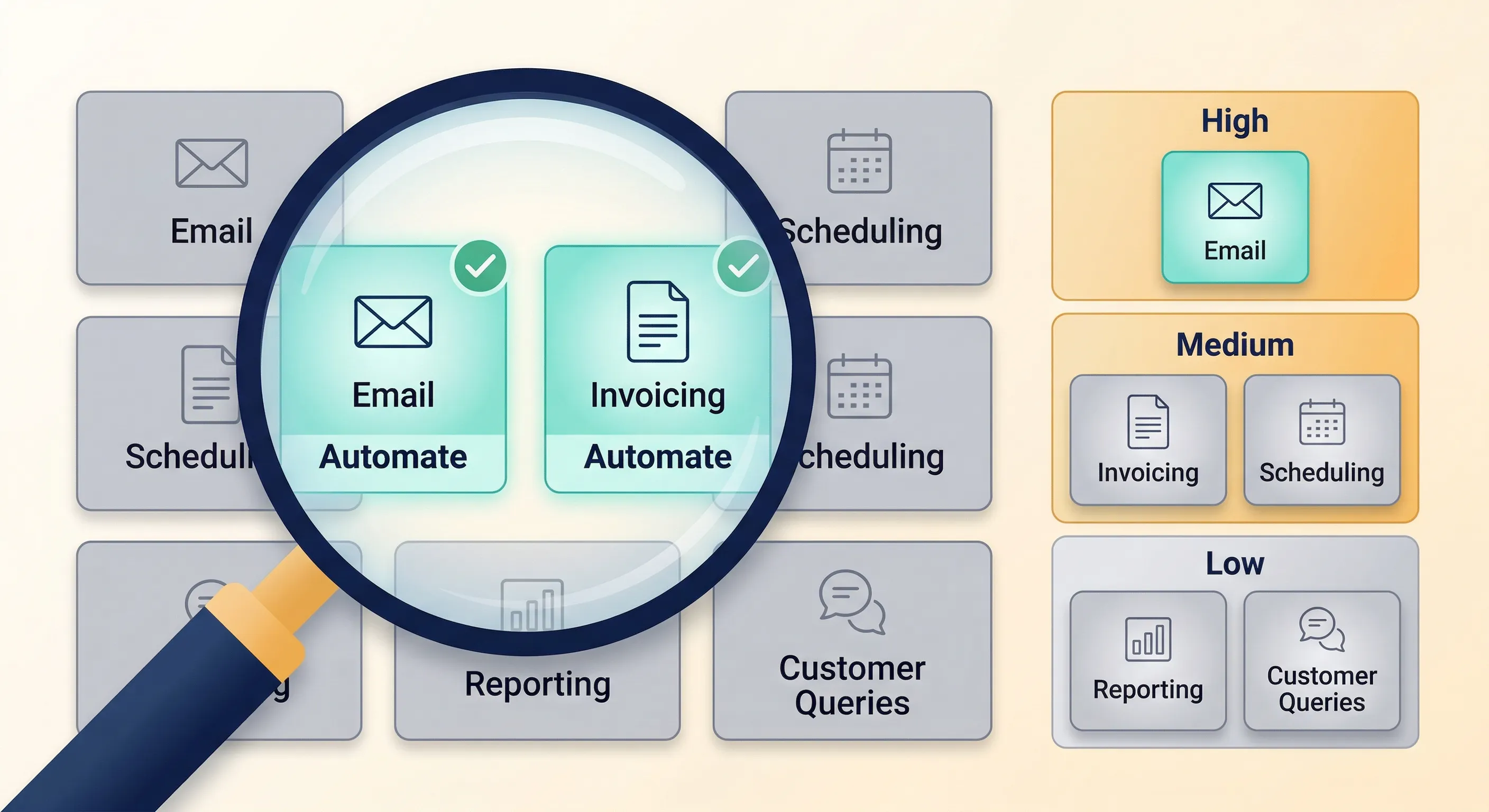
This rapid assessment helps you identify your top three automation candidates without needing to map every process in detail. Set aside 15 minutes and work through this systematically.
Step 1: Identify Your Pain Points
Which of these causes the most frustration in your daily work? Pick your top three:
- Data entry (typing the same information into multiple systems)
- Waiting for approvals or reviews
- Searching for information (where did we save that file?)
- Responding to repetitive customer questions
- Creating reports or dashboards
- Scheduling meetings and coordinating calendars
- Following up on tasks (chasing people for responses)
- Invoice and payment processing
- Onboarding new customers or employees
- Content creation (social posts, emails, documents)
Step 2: Assess the Volume
For each of your top three pain points, estimate these factors:
How often does this happen?
- Hourly | Daily | Weekly | Monthly
How long does it take each time?
- Less than 5 minutes | 5-15 minutes | 15-60 minutes | More than 1 hour
How many people are involved?
- Just me | 2-3 people | 4-10 people | 10+ people
What happens if it’s delayed by 24 hours?
- Minor inconvenience | Customer frustration | Lost revenue | Crisis
Step 3: Check Automation Readiness
For each pain point, answer these questions:
Is the process the same every time, or does it vary?
- Exactly the same steps every time (great for automation)
- Same steps but different data (good for automation)
- Same goal but different paths to get there (AI agent territory)
- Completely different each time (keep it human)
Is the data digital or analogue?
- All digital: emails, forms, databases (easy to automate)
- Mix of digital and paper (medium difficulty)
- Mostly phone calls or in-person (hard to automate)
Does this require judgement calls or just following rules?
- Pure rules: “if X then Y” (perfect for automation)
- Rules plus some judgement (use an AI assistant)
- Mostly judgement and expertise (keep it human, or use advanced AI)
What’s the cost of an error?
- Minor: can fix in 5 minutes (low risk)
- Moderate: customer gets annoyed (medium risk)
- Severe: financial or legal consequences (high risk)
Step 4: Calculate Priority Scores
Now you’ll turn these assessments into numbers that tell you what to tackle first.
Impact Score = (Frequency × Duration × People Involved) ÷ 100
Use these values:
- Frequency: Hourly=30, Daily=7, Weekly=1, Monthly=0.25
- Duration: <5min=5, 5-15min=10, 15-60min=40, 1hr+=80
- People: Just me=1, 2-3=2, 4-10=5, 10+=10
Feasibility Score = Average of these three (on a 1-5 scale):
- Process consistency (exactly same=5, totally varies=1)
- Data digitisation (all digital=5, mostly analogue=1)
- Automation readiness (rules-based=5, requires judgement=1)
Risk Multiplier:
- Low cost of error = 1.0
- Medium cost = 0.7
- High cost = 0.4
Final Priority Score = Impact × Feasibility × Risk Multiplier
Understanding Your Scores
Score above 100: Must-do. High impact, feasible, low risk. Start here.
Score 50-100: Should-do. Strong candidate. Tackle after your must-dos.
Score 20-50: Nice-to-have. Wait until you’ve built your automation muscle with easier wins.
Score below 20: Don’t bother. Either too low impact or too risky for the potential benefit.
Let’s walk through an example to make this concrete.
Example: Creating Weekly Sales Reports
You create a sales report every Monday morning. It takes an hour, you’re the only person involved, and if it’s delayed by a day, it’s a minor inconvenience. The process is exactly the same every week: you pull data from your CRM and aggregate the numbers. The data is already in your CRM (digital). It’s pure rules, no judgement required. If you make a mistake, you just fix it in five minutes.
Calculation:
- Frequency: Weekly (1) × Duration: 1 hour+ (80) × People: Just me (1) = 80
- Impact Score = 80 ÷ 100 = 0.8
- Process consistency: 5 (same every week)
- Data digitisation: 4 (in CRM but needs export)
- Rules-based: 5 (just aggregating numbers)
- Feasibility = (5+4+5) ÷ 3 = 4.67
- Risk: Low (1.0)
- Priority Score = 0.8 × 4.67 × 1.0 = 3.74
This would be a “Should-Do” project: not urgent, but worth tackling after you’ve handled anything scoring higher.
The Quick Sanity Check: Hell Yes or Hell No
Before you invest time scoring everything, run your pain points through this quick filter.
Automate if you can answer “hell yes” to most of these:
- You could explain the entire process to a 12-year-old in under five minutes
- The inputs and outputs are clearly defined
- It happens at least weekly
- You groan every time you have to do it
- If you hired someone tomorrow, you’d make them do this task
- The data already exists digitally
Don’t automate yet if any of these are true:
- The process changes every month
- It requires deep industry expertise or intuition
- Less than five total hours per year spent on it
- The task is actually enjoyable or creative
- You don’t actually know the right way to do it yet
- There are critical safety or compliance implications and you’re not sure about requirements
This filter saves you from wasting time calculating scores for things that clearly shouldn’t be automated right now.
Calculating ROI: Will This Actually Save Money?
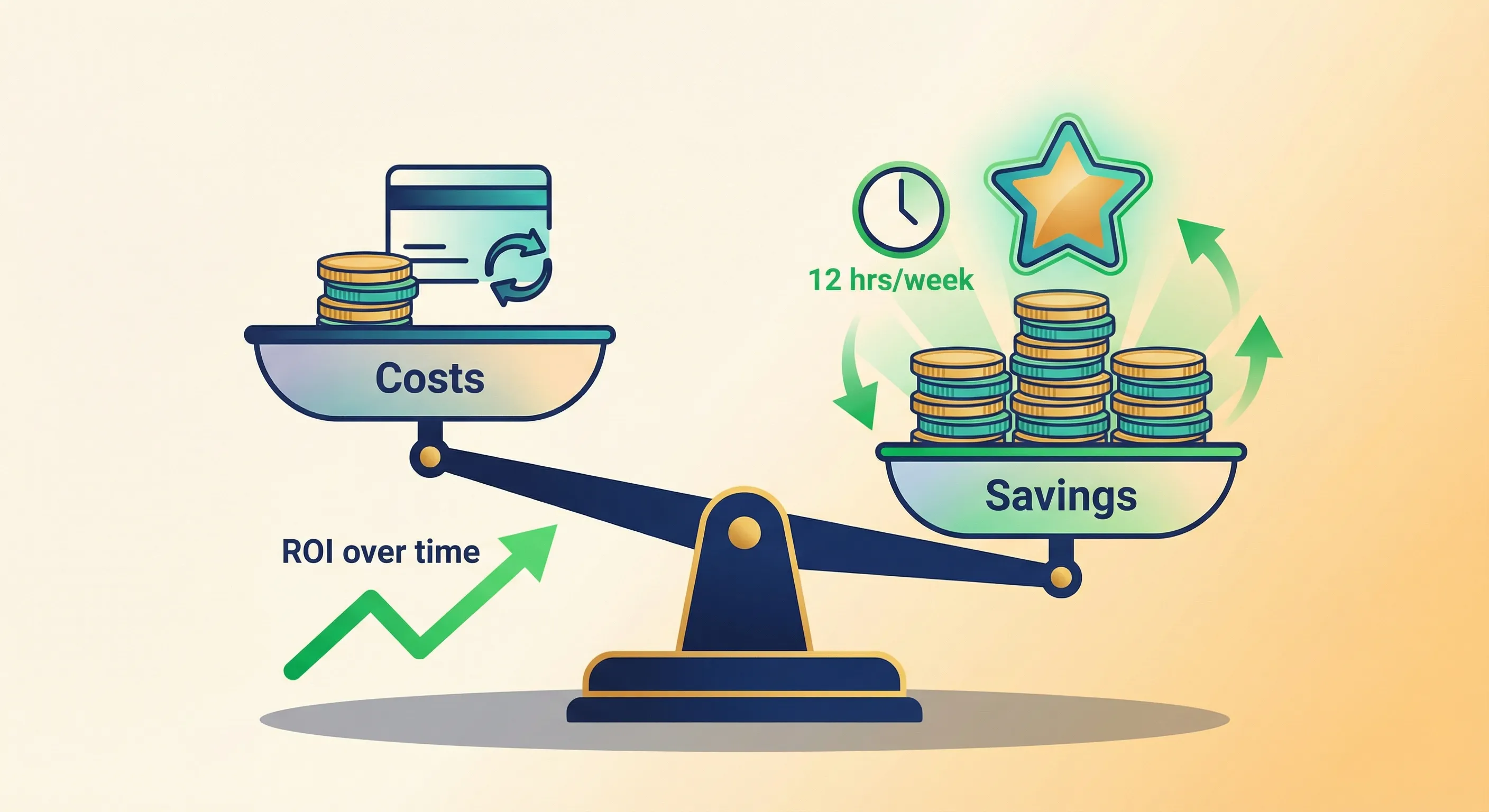
Most ROI calculators overcomplicate things. Here’s what you actually need to know to make smart decisions about automation investments.
The Simple ROI Formula
Annual Savings = (Time Saved Per Instance) × (Frequency Per Year) × (Fully-Loaded Hourly Cost)
Implementation Cost = Tool Cost + Setup Time Cost + (Maintenance Hours × Hourly Cost)
ROI Percentage = [(Annual Savings – Annual Tool Cost) ÷ Implementation Cost] × 100
Payback Period (Months) = Implementation Cost ÷ (Monthly Savings – Monthly Tool Cost)
Understanding Fully-Loaded Hourly Cost
Don’t just use salary. Include overhead costs like benefits, taxes, office space, equipment, and everything else it takes to have someone working for you.
For employees: Take hourly wage and multiply by 1.4 to account for benefits, taxes, space, and other overhead.
For owners and founders: Use opportunity cost: what could you bill out at, or what would you pay someone to do this work?
Typical SMB ranges in 2026:
- Admin and support roles: $20-28 per hour fully-loaded
- Specialists (marketing, sales): $40-60 per hour
- Managers and owners: $60-120 per hour
A Real Example: Automating Invoice Processing
Let’s work through a complete example so you can see how this plays out in practice.
Current state: You receive 50 invoices per month. Each one takes 10 minutes to process: you enter it into your accounting system, file the PDF, and send an approval email to your manager. Your office manager handles this at a fully-loaded cost of $24 per hour.
Proposed solution: Use Make with your QuickBooks API to automate the process. Invoice email arrives, the system automatically extracts the data, creates a bill in QuickBooks, and sends a notification for approval. Your office manager still reviews each one, but that only takes two minutes instead of 10.
Time savings:
- Before: 50 invoices × 10 minutes = 500 minutes per month = 8.3 hours per month
- After: 50 invoices × 2 minutes = 100 minutes per month = 1.7 hours per month
- Saved: 6.6 hours per month
Annual savings:
- 6.6 hours per month × 12 months × $24 per hour = $1,901 per year
Costs:
- Make subscription: $13 per month = $156 per year
- QuickBooks: You already have it, so $0 additional
- Setup time: 8 hours × $60 per hour = $480 (one-time)
- Maintenance: 30 minutes per month × $24 per hour = $12 per month = $144 per year
Total annual cost: $156 + $144 = $300 per year
Net annual benefit: $1,901 – $300 = $1,601
ROI: [($1,601) ÷ ($480)] × 100 = 334% first-year ROI
Payback period: $480 ÷ ($1,601 ÷ 12) = 3.6 months
Verdict: This is a strong automation candidate. You’ll recoup your investment in under four months and then save $1,600 per year going forward.
The Soft Benefits That Matter
Hard savings aren’t the whole story. Some benefits are harder to quantify but absolutely real.
Check if your automation candidate delivers any of these soft benefits:
- Reduces error rate (fewer refunds, corrections, do-overs)
- Improves customer experience (faster response times)
- Enables scaling (you could handle twice the volume without hiring)
- Reduces burnout (the task was particularly draining)
- Frees capacity for revenue-generating work instead of admin
If three or more soft benefits apply, multiply your calculated ROI by 1.3 to 1.5 times to get a more complete picture of the true value.
In our invoice example, the automation reduces data entry errors, speeds up vendor payments (improving those relationships), and frees the office manager for more strategic work. That’s three soft benefits.
Adjusted ROI = 334% × 1.3 = approximately 430% when you account for the full value.
The ROI Decision Matrix
Use this simple matrix to decide whether to proceed:
| ROI % | Payback Months | Decision |
|---|---|---|
| >200% | <6 months | Do now – This is a no-brainer |
| 100-200% | 6-12 months | Strong yes – Standard good project |
| 50-100% | 12-18 months | Conditional – Only if strategic importance is high |
| <50% | >18 months | Wait – Unless it enables a critical capability |
Projects with over 200% ROI and payback under six months should jump to the top of your list. They’re low-risk, high-reward opportunities.
Deciding How to Implement: DIY, Hire, or Hybrid
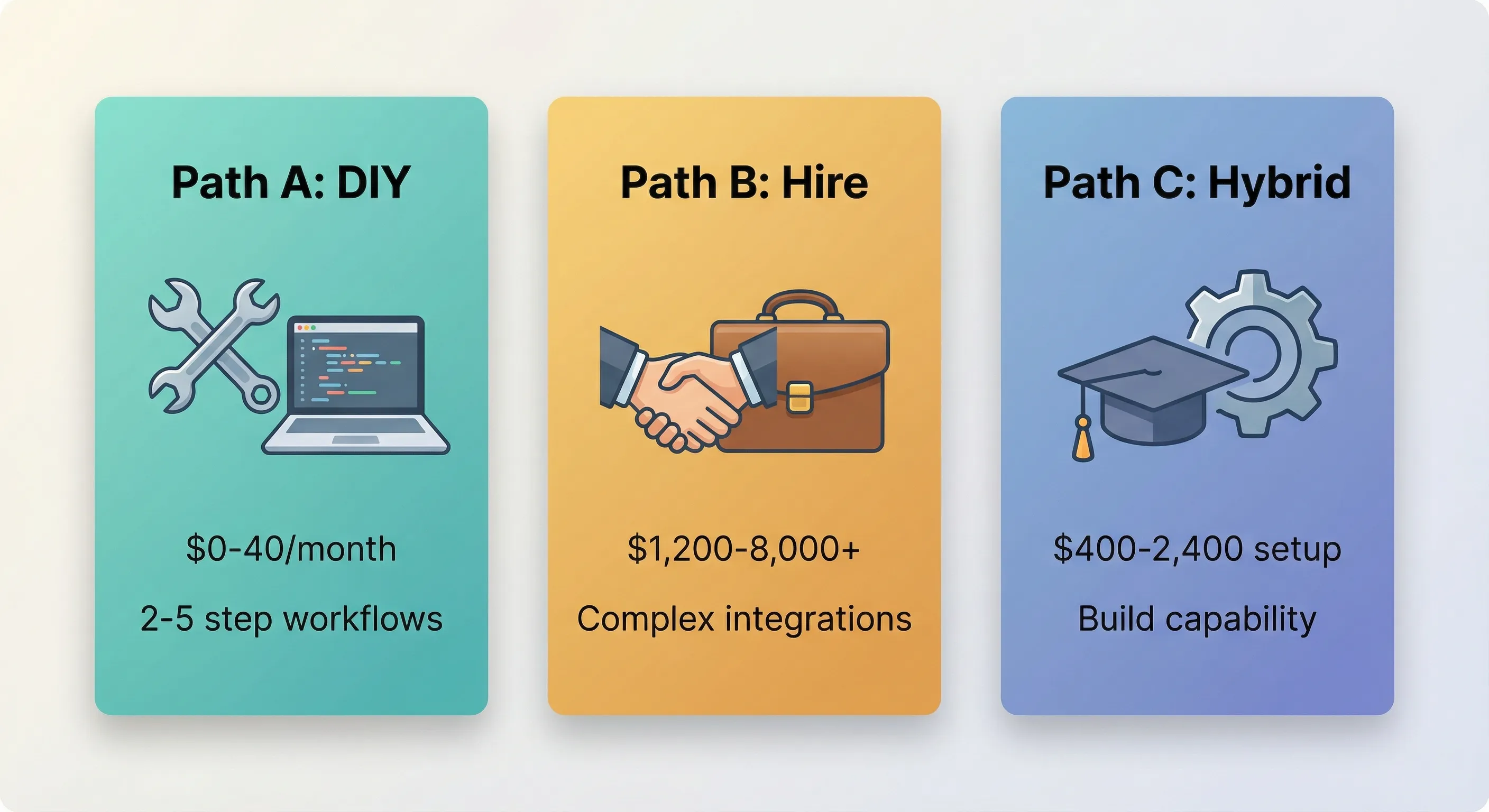
Once you know what to automate and you’ve confirmed the ROI makes sense, you need to decide how to actually make it happen. There are three main paths, and the right choice depends on your specific situation.
Path A: DIY with No-Code Tools
When this makes sense:
You’ve got simple workflows with two to five steps. You’re connecting common business apps like Gmail, Google Sheets, your CRM, Slack, and similar mainstream tools. Someone on your team (possibly you) is comfortable with “if-then” logic, even if you’ve never coded. You can dedicate one to three days to implement. Your budget is $0-40 per month.
You’ll need the ability to follow online tutorials, patience to debug when things inevitably break the first time, and willingness to iterate. Your first version won’t be perfect, and that’s fine.
This path requires basic business user skills. No coding required. But you own the maintenance: if it breaks and you don’t fix it, it stays broken.
Path B: Hire an Expert or Consultant
When this makes sense:
You’re dealing with complex integrations (seven or more steps with custom logic). The workflow is mission-critical (customer-facing or revenue-impacting). This is a one-time heavy lift like migrating to a new system or building something from scratch. No one internally has time to learn a new platform. Your budget is $1,200-8,000+ for one-time work.
Look for someone with experience in your industry, a proven portfolio of similar work, who provides documentation and training so you can maintain it, and who’s available for ongoing support or builds the system to be maintainable without constant expert intervention.
You don’t need any technical skills yourself with this path. The consultant builds it, then you either maintain it (with their documentation) or keep them on retainer.
Red flags to watch out for:
They won’t provide documentation or training. They’re building a “black box” you can’t understand or modify. They propose proprietary tools instead of standard platforms (locking you in). They quote a price without understanding your process first.
Path C: Hybrid (Low-Code Platform Plus Training)
When this makes sense:
You’re tackling moderate complexity: you need some custom logic but not full development. You’re building internal capability over time rather than solving one problem and stopping. You’re planning multiple automations, not just a one-off project. Your budget is $400-2,400 for training plus $80-400 per month for tools.
You’ll need a technical team member or “power user”: someone who’s comfortable learning new systems. They’ll invest 20-40 hours learning the platform. Your company culture supports experimentation and learning.
This path requires technical aptitude: if they can master formulas in Excel, they can probably handle this. You build and maintain everything yourself, which gives you complete control and flexibility.
The Decision Tree
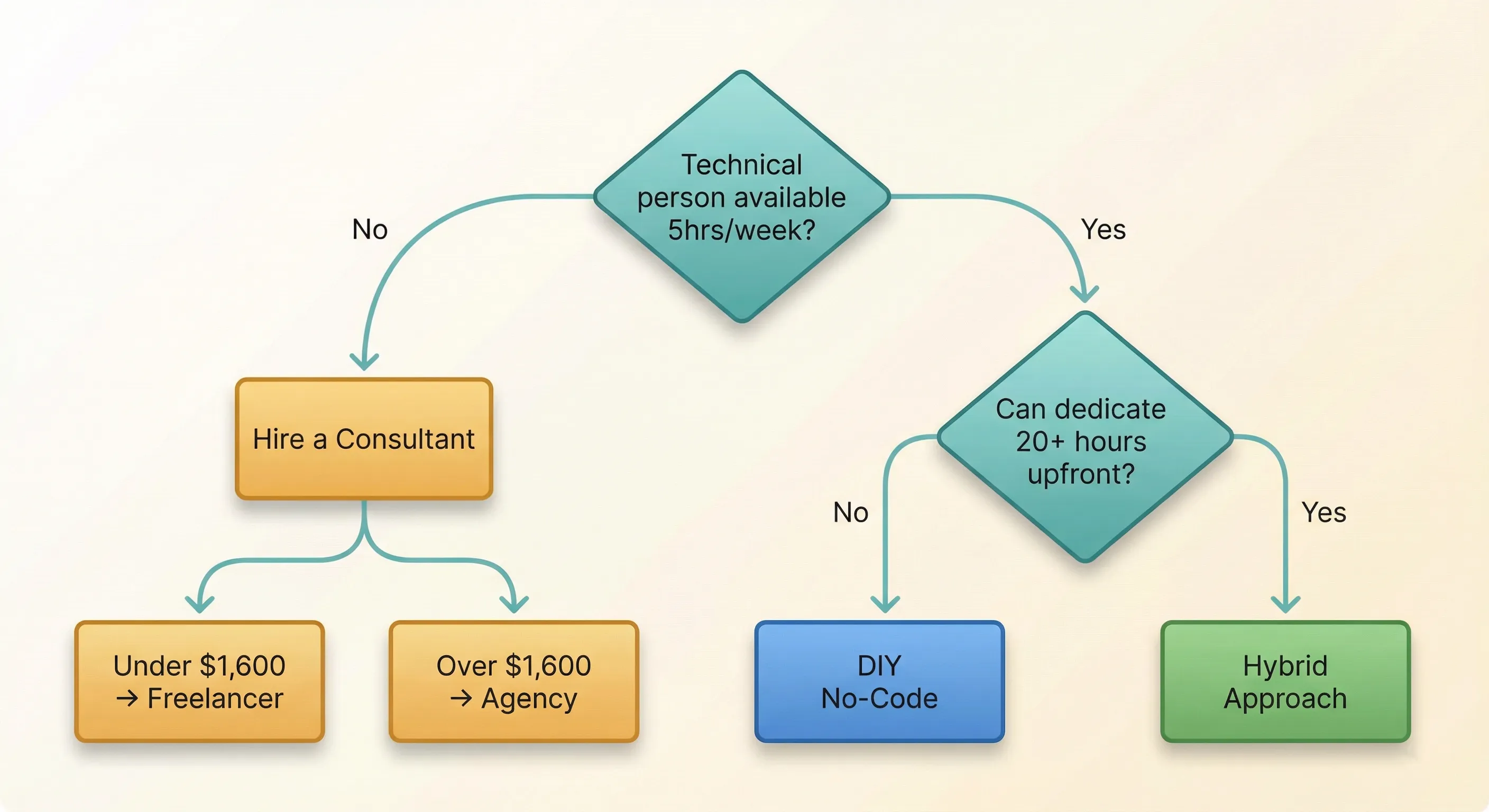
Start here: Do you have someone technically-inclined with at least five hours per week available?
If no: Hire a consultant. With a budget under $1,600, use a freelancer marketplace like Upwork. With a budget over $1,600, find a specialised automation agency.
If yes: Can they dedicate 20+ hours upfront to learn the platform?
If no: Use DIY with the simplest no-code tool you can find. If complexity is low, you’ll probably succeed. If complexity is high, hire a consultant for the initial build, then maintain it yourself with their documentation.
If yes: Take the hybrid approach. Build internal automation capability over three to six months. This gives you the most flexibility and control long-term.
Evaluating Tools: What Actually Matters
When you’re looking at any automation platform, score these seven dimensions on a 1-5 scale:
Ease of use: Can someone non-technical build simple workflows? Is the interface intuitive or does it have a steep learning curve? How good is the documentation and tutorial library?
Integration breadth: Does it connect to your existing tools (CRM, accounting, email, and everything else you use)? Are there pre-built connectors or do you need to manually set up API connections? Can it handle your data volume and rate limits?
Reliability: What’s the uptime track record? How does it handle errors? What happens when something fails? Does it have monitoring and alerting so you know when things break?
Scalability: How does pricing work: per task, per user, flat fee? How does performance change at higher volumes? Can it grow with your business or will you outgrow it quickly?
Support: Is there a community or forum where you can get help? How responsive is vendor support? What training resources are available?
Data security: Is it compliant with regulations like GDPR and SOC2? Is data encrypted? Can you control permissions (who can access what)?
Portability: Can you export your automations if you decide to switch? How much vendor lock-in risk are you taking on? Does it use open standards or proprietary formats?
Minimum passing score: 25 out of 35 (about 70%). Nothing will score perfectly, so optimise for your top three priorities.
Guidance for Solopreneurs and Founders
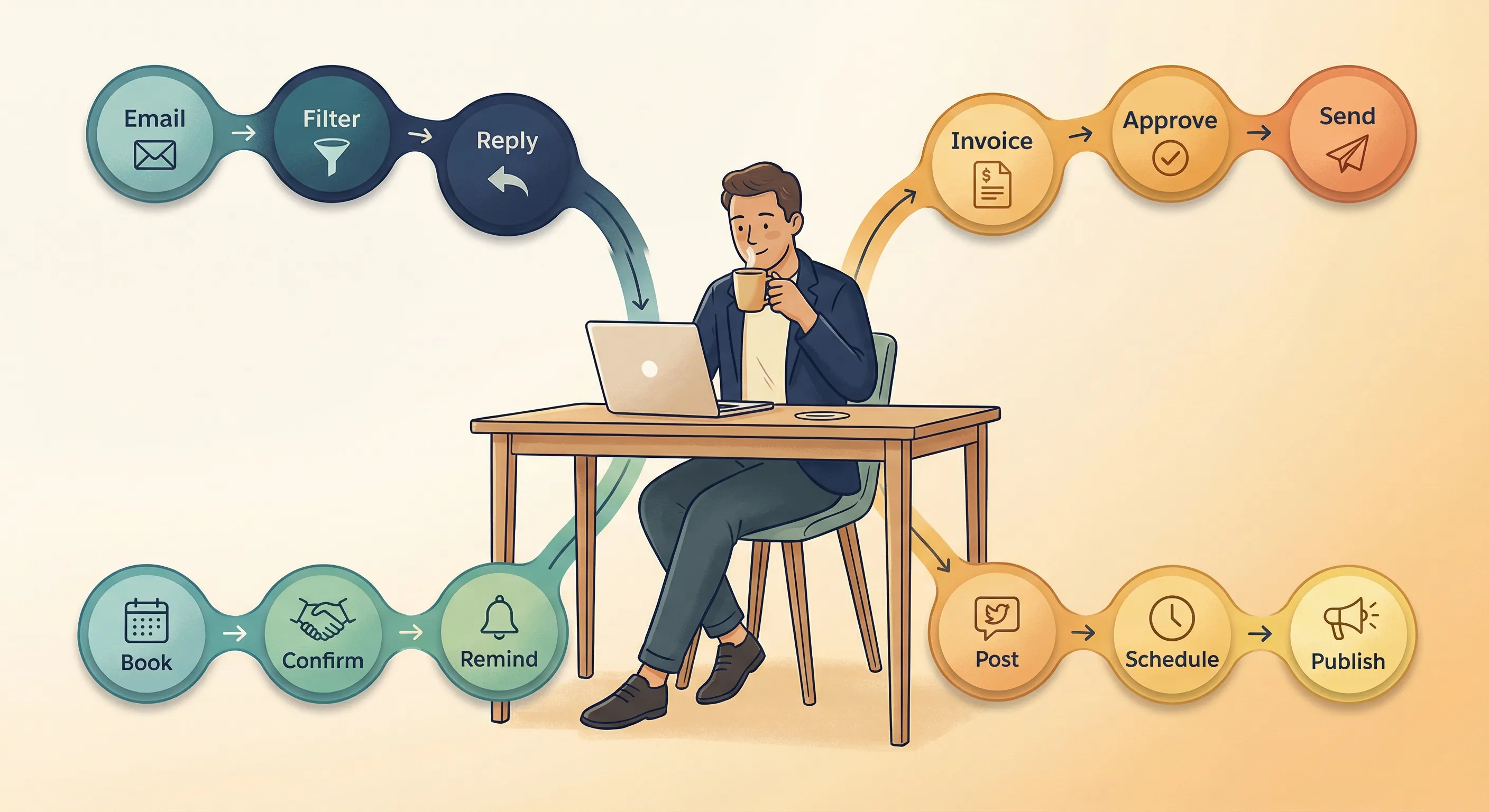
If you’re running your business solo or with a very small team, you face unique constraints that change how you should approach automation.
Your Unique Position
Your advantages: You make decisions fast, with no committee approvals or stakeholder management. Time saved directly benefits you, with no question about ROI when it’s your own hours. You can start, stop, or pivot instantly without organisational friction.
Your challenges: Limited time means you can’t dedicate 20 hours to learning a new platform. You’re wearing all the hats, so you need simple, reliable tools that don’t create new problems. Budget constraints mean you can’t afford expensive failures.
The strategy: Start with the absolute minimum viable automation. Get one thing working before you add another.
The Solopreneur Automation Hierarchy
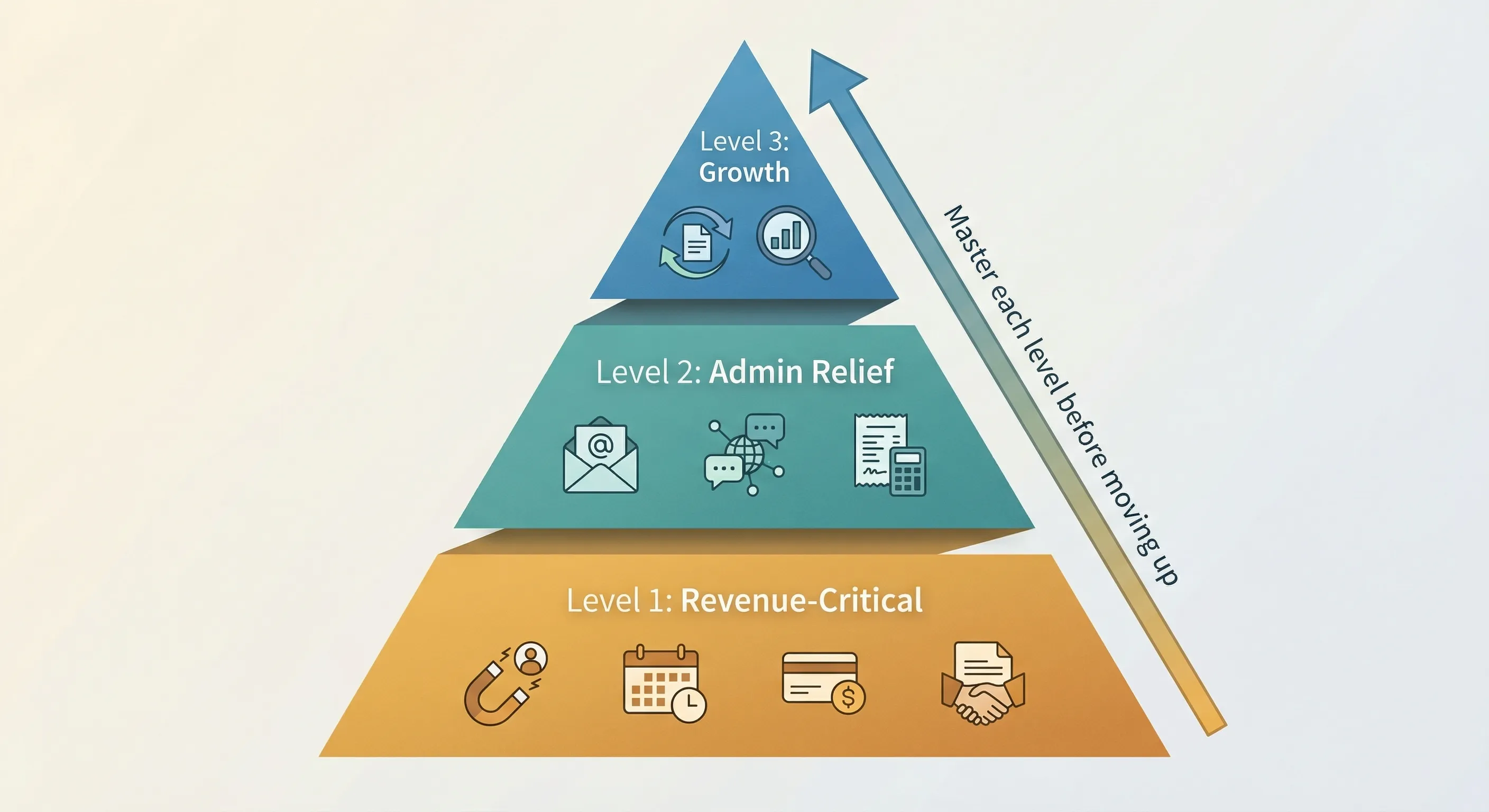
Tackle these in order. Don’t move to the next level until the current level is solid.
Level 1: Revenue-Critical Client Work
These directly affect your ability to acquire and serve customers:
- Lead capture automation: web form submits, automatically creates CRM record, sends email
- Meeting scheduling: eliminate the back-and-forth email dance
- Payment collection: invoicing, payment processing, receipt generation
- Client onboarding sequence: welcome email, next steps, document delivery
Level 2: Administrative Burden Relief
Once revenue processes are solid, tackle the admin work draining your time:
- Email management: filters, templates, auto-responses for common questions
- Social media scheduling: batch create content, auto-post throughout the week
- Expense tracking: receipt photo automatically becomes accounting entry
- Time tracking: automatic based on calendar appointments
Level 3: Growth and Optimisation
Only move here once Levels 1 and 2 are running smoothly:
- Content repurposing: turn one blog post into social posts and email newsletter
- Analytics dashboards: unify data from multiple sources into single view
Follow this rule strictly: Don’t go to Level 2 until Level 1 is solid. Don’t go to Level 3 until Level 2 is solid.
The Solopreneur Starter Sequence
Work through these four phases in order. Move to the next phase when you’ve finished the current one, not on a fixed schedule.
Phase 1: Audit and pick one thing
Track your time for a few days. Use Toggl or just a notebook. Identify your number one time drain. Run it through the diagnostic tool from earlier. Pick the highest-scoring opportunity.
Phase 2: Implement your first automation
Choose the simplest tool that will work. Find a tutorial for your specific use case. Get it working even if it’s not perfect. Done is better than perfect when you’re learning.
Phase 3: Live with it and tweak
Use the automation for every instance of that task. Track what happens: Did it work? Did it actually save time? Fix one thing if it’s broken, but resist the urge to over-engineer it.
Phase 4: Measure and decide next
Calculate the actual time saved. If it’s positive, pick your second automation and repeat the sequence. If it’s negative or breaking constantly, stop and reassess whether you chose the right task.
Critical rule: Don’t try to automate 10 things at once. Master one before adding another.
Building Your Essential Tool Stack
Instead of recommending specific vendors (which become outdated quickly), here’s a functional approach to building your stack.
Choose one tool per category, and choose based on these criteria:
Workflow automation (connects your apps together)
- Criteria: Free tier that works, easy interface, has integrations for your specific tools
AI assistant (for content, research, drafting)
- Criteria: $15-25 per month, works well for your primary use case (writing versus coding versus data analysis)
Scheduling (eliminates calendar coordination)
- Criteria: Free tier meets your needs, integrates with your calendar
Email (templates and sequences)
- Criteria: Built into your email provider or simple add-on, not a separate complex system
Payments (invoicing and collection)
- Criteria: Low fees, automatic reminders, integrates with accounting
Total monthly cost for a powerful solo stack: $0-80
The anti-pattern to avoid: Don’t sign up for 20 different tools. Use what you already have first. Only add new tools when you hit the limits of what you’ve got.
When to Hire Help as a Solopreneur
Hire a contractor or virtual assistant when:
- The automation would save you 10+ hours per month
- It’s outside your comfort zone (custom code, complex integrations)
- It’s a one-time heavy lift like a migration or initial setup
- You can afford $400-1,600 and want it done properly the first time
Where to find help: Upwork and Fiverr for freelancers, automation-specific marketplaces (search “no-code experts”), or industry-specific Facebook groups and communities.
How to avoid bad hires:
- Require a portfolio of similar work before hiring
- Start with a small paid test project ($80-240) before committing to the big job
- Insist on documentation and training handoff as part of the deliverable
- Pay in milestones based on work completed, never everything upfront
Common Mistakes and How to Avoid Them

Based on recent research into SMB automation projects, here are the top 10 mistakes businesses make, and how to avoid them.
Mistake 1: Automating Broken Processes
The problem: “Garbage in, automated garbage out.” If your manual process is inefficient or poorly designed, automation just makes you inefficient faster.
Example: A company automated an approval workflow that had seven unnecessary steps. Approvals weren’t slow because they were manual; they were slow because the process was badly designed. Now approvals got stuck faster, in more places.
How to avoid it: Before automating anything, ask yourself: “Is this the best way to do this task?” Document what the ideal process would look like. Eliminate unnecessary steps. Streamline the workflow. Then automate the optimised version, not the broken original.
Mistake 2: Choosing Tools Before Understanding the Problem
The problem: “Shiny object syndrome.” You buy tools because they look impressive or everyone’s talking about them, not because they solve your actual problem.
Example: Paying for an enterprise robotic process automation platform to automate copying 10 rows to Excel, something a free script could handle in five minutes.
How to avoid it: Define the problem clearly first. Calculate ROI before you start shopping. Demo multiple tools using your specific use case, not generic examples. Choose based on fit for your needs, not marketing promises.
Mistake 3: No Training or Change Management
The problem: You build the automation, but your team doesn’t use it (or uses it incorrectly) because they weren’t trained.
Example: An automated invoice system was built and deployed, but employees kept emailing invoices manually because “it’s faster.” They weren’t actually trained on the new system, so they defaulted to what they knew.
How to avoid it: Include your team in the design phase. They’ll spot issues you miss and feel ownership. Provide hands-on training, not just a PDF guide. Create simple “cheat sheets” they can reference. Celebrate early wins publicly so others want to participate.
Mistake 4: Set-It-And-Forget-It Mentality
The problem: Automations need maintenance. Vendors update APIs, your processes evolve, edge cases appear that weren’t in your original design.
Example: An email automation broke when a vendor changed the field names in their form. It went unnoticed for three weeks, and dozens of leads were never followed up.
How to avoid it: Schedule a monthly automation health check (just 15 minutes to review everything). Set up failure alerts so you know immediately when something breaks. Document what each automation does so someone can fix it when you’re not available. Assign an “owner” to each workflow who’s responsible for keeping it running.
Mistake 5: Over-Automation (Removing All Human Touch)
The problem: Some customer interactions need human warmth. Over-automating everything makes your business feel robotic and damages relationships.
Example: A company built fully automated customer service that only escalated to a human after five failed bot interactions. Customers were frustrated before they ever reached someone who could actually help.
How to avoid it: Map out which moments are “high-touch” (customers expect personal attention) versus “low-touch” (they just want it done fast). Keep humans involved in relationship-critical touchpoints like complaints, complex questions, or high-value sales. Use automation for speed and efficiency, not to eliminate people entirely. Always provide an easy “talk to a human” escape hatch.
Mistake 6: Ignoring Data Quality
The problem: Automation only works if your data is clean. Duplicate records, missing fields, inconsistent formats: all of these break automation.
Example: A lead routing automation assigned leads to the wrong sales reps because “company name” was spelled three different ways in the CRM (TechCorp, TechCorp Inc., Tech Corp).
How to avoid it: Clean your data before automating anything that depends on it. Implement validation rules to prevent bad data from entering your system. Run regular deduplication. Standardise naming conventions across your team and enforce them.
Mistake 7: Automating Low-Value, High-Complexity Tasks
The problem: Spending weeks building automation for something that only takes an hour per month manually. The ROI never makes sense.
Example: Building a custom script to generate a quarterly report that you use four times a year and takes 30 minutes to create manually. You spent eight hours building the automation.
How to avoid it: Use the ROI calculator religiously. Start with high-frequency, high-volume tasks that happen at least weekly. Accept that some tasks should stay manual. That’s fine. Focus on tasks that are “dull, dirty, or dangerous” (repetitive, error-prone, or mind-numbing).
Mistake 8: No Testing Before Going Live
The problem: Pushing automation straight to production without testing edge cases leads to catastrophic errors.
Example: An email automation sent 500 duplicate messages to customers because the loop condition was configured incorrectly. This damaged the company’s reputation and got them flagged as spam.
How to avoid it: Test with dummy data first, not real customers. Run the automation in parallel with your manual process for one to two weeks to catch issues. Start small: deploy to 10% of volume first. Have a rollback plan in case something goes wrong.
Mistake 9: Not Involving End Users in Design
The problem: Automation designed by executives or IT departments often doesn’t match how work actually gets done on the ground.
Example: A sales automation built by IT added three extra steps that sales reps didn’t need, creating friction instead of solving problems. The reps found workarounds or ignored it entirely.
How to avoid it: Interview the people actually doing the work. Shadow them for a day to see the reality, not the theory. Show them a prototype and get feedback. Iterate based on real usage, not assumptions.
Mistake 10: Treating Automation as an IT Project
The problem: Delegating automation entirely to technical teams without business leadership ownership means perfect technical implementation that doesn’t align with business goals.
Example: IT built a flawless integration between systems, but it automated the wrong process, one that wasn’t actually a business priority.
How to avoid it: Business leaders drive automation strategy; technical people enable it. Link every automation project to a specific business metric. Require an executive sponsor who owns the outcome. Conduct regular business reviews, not just technical status updates.
Warning Signs Your Automation Is Failing
If you see any of these symptoms, pause and reassess:
- Your automation costs more to maintain than it saves
- Your team actively avoids using the automated process
- You spend more time fixing automation than it saves you
- You can’t explain what the automation does in 30 seconds
- No one knows who to call when it breaks
- The automated process produces lower quality output than manual
- Customer complaints increased after you implemented the automation
From First Idea to Running Automation: The Execution Playbook
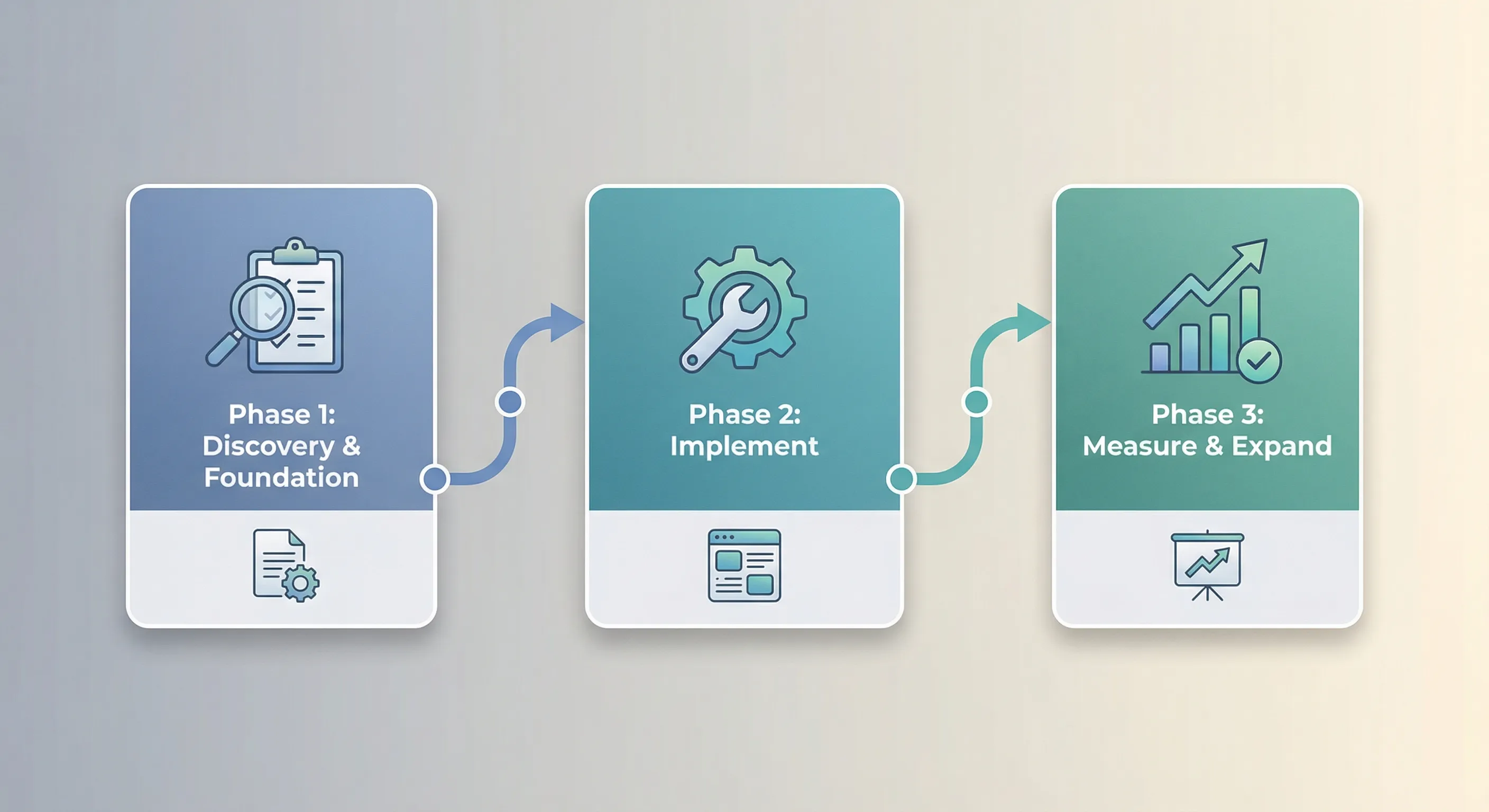
Here’s a concrete sequence for getting your first automation wins implemented and measured. Work through each phase fully before moving to the next.
Phase 1: Discovery and Foundation
Self-assess your maturity level using the model earlier in this guide. Complete the diagnostic tool to identify your top opportunities. Calculate ROI for your top three candidates. Be rigorous here; the numbers will guide your priorities. Select your number one project based on the highest priority score and strongest ROI. Choose your implementation path: DIY, hire, or hybrid.
Phase 1 deliverables: Prioritised list of opportunities, business case for your first project, selected tool or hired consultant.
Phase 2: Implement Your First Win
Set up your tools and configure basic integrations. Get all the pieces talking to each other. Build the workflow and test it with dummy data. Don’t use real customers or transactions yet. Run in parallel: do both the automated and manual versions simultaneously. This catches issues before they impact your business. Go live with the automation. Monitor it closely. Be ready to jump in if something breaks.
Phase 2 deliverables: Working automation, documentation of how it works, initial metrics on performance.
Phase 3: Measure, Optimise, Expand
Collect feedback from everyone involved. Measure actual ROI against your projections. Optimise based on what you learned. Fix issues, streamline steps, improve reliability. Select your second project and start the cycle again.
Phase 3 deliverables: Validated ROI data, lessons learned document, momentum for your next automation project.
Setting Up Basic Governance (Even for Small Teams)
Even if you’re just three people, having clear ownership prevents problems.
Business owner or sponsor: Approves priorities and budget. Removes roadblocks when the team gets stuck. Celebrates wins to build momentum.
Process owner (the person who actually does the work): Defines requirements based on real experience. Tests the automation before it goes live. Provides honest feedback on what works and what doesn’t.
Technical owner (could be the same person as process owner for small teams): Builds or configures the automation. Troubleshoots when issues arise. Documents how everything works.
Monthly check-in agenda (30 minutes is enough):
- What’s working well?
- What broke? What’s at risk of breaking?
- Actual ROI versus what we expected
- What’s our next priority?
Documentation That Actually Helps
For each automation you build, document these seven things:
Name and purpose: What it does in one sentence. Why it exists and what problem does it solve?
Trigger: What starts the automation: a schedule, an event, or manual activation?
Steps: High-level workflow, not detailed code. Note key decision points where logic branches.
Systems involved: What apps or tools does it touch? What credentials or permissions are needed?
Success metrics: How do you know it’s working? What results should you expect?
Failure mode: What happens if it breaks? How will you detect the failure? Who should be contacted?
Maintenance schedule: When should someone review this? Who owns keeping it running?
This template takes 10-15 minutes per automation to complete. Do it while you’re building, not months later when you’ve forgotten the details.
Quick Reference: Decision Tools
The One-Page Decision Flowchart
Start: I have a repetitive task I want to automate.
Question 1: Does it happen at least weekly?
- No → Don’t automate yet, not enough volume
- Yes → Continue
Question 2: Would it take less than 15 minutes to explain to someone?
- No → Process too complex, break into smaller sub-tasks first
- Yes → Continue
Question 3: Is the data already digital?
- No → Digitise first, then automate
- Yes → Continue
Question 4: What’s the cost of an error?
- High (financial or legal risk) → Use AI assistant with human review required
- Medium → Use automation with monitoring
- Low → Fully automate
Question 5: Calculate ROI
- ROI >200% and <6 month payback → Do now
- ROI 100-200% → Plan for next quarter
- ROI <100% → Revisit in 6 months
Question 6: Choose implementation path
- Simple and you have technical person → DIY
- Complex and you have budget → Hire expert
- Medium complexity → Hybrid approach
Then: Implement using the 90-day playbook.
The Automation Readiness Checklist
Before starting any automation project, verify these prerequisites:
- [ ] Process is documented (even rough notes count)
- [ ] Happens at least 4 times per month (weekly)
- [ ] Data exists in digital form
- [ ] Clear definition of what “success” looks like
- [ ] Someone identified as the owner
- [ ] Budget approved (even if it’s $0 for free tier tools)
Stop if any of these red flags are true:
- [ ] Process changes fundamentally every month
- [ ] No one on the team agrees on the right way to do it
- [ ] Critical compliance or safety implications that aren’t clearly understood
- [ ] Would require changing five or more other processes
- [ ] Team is actively resistant to automation
Monthly Automation Health Check (15 Minutes)
Run this checklist monthly for each active automation:
Execution rate
- Last month: _ automated runs
- Expected: _ automated runs
- If actual is less than 80% of expected, investigate why
Error rate
- Successful completions: _%
- Goal: Above 95% success rate
- If below goal, fix the automation or add human review step
ROI tracking
- Time saved this month: _ hours
- Cost this month: $___
- Net benefit: $___
User satisfaction
- Quick poll: Still helpful? Yes/No
- Issues reported: _
- Improvements requested: _
Maintenance needs
- Anything breaking? _
- Updates needed? _
- Documentation still current? Yes/No
Next Steps
Take Your First Practical Steps
You’ve now got a complete framework for identifying and implementing automation in your business. Here’s what to do based on where you are:
If you’re just starting (Crawl stage): Complete the diagnostic tool right now. Identify your highest-priority automation candidate. Set up the simplest possible version using free tools. Track the time saved, then decide whether to scale it or try something else. Your goal is simple: prove to yourself that automation works for your business by getting one win under your belt.
If you’ve got some automation running (Walk stage): Document your existing automations using the template provided. Calculate the actual ROI on what you’ve already built. You might be surprised. Use the diagnostic tool to prioritise your next few projects. Set up the monthly health check to maintain what you’ve built. Your goal: make sure your automation investment is paying for itself before expanding.
If you’re well into automation (Run stage): Audit all your processes using the diagnostic framework. Identify the gaps, particularly high-value work that’s still manual. Build the business case for more advanced AI agents that can handle complex workflows. Implement the governance model to coordinate across your team. Measure your automation maturity score regularly and track improvement. Your goal: use automation to grow the business without proportionally increasing headcount.
Ready to Build Your First Automation?
This guide gave you the strategy: what to automate, how to prioritise, and whether the ROI is worth it. If you’re ready to start building, our step-by-step guide to Google Workspace Studio walks you through creating AI-powered automations inside the Google apps you already use. No coding required.
Conclusion
The gap between businesses experimenting with AI and those using it systematically isn’t technology. It’s framework. You now have that framework.
The businesses winning with automation aren’t necessarily the most technical. They’re the ones who approach it strategically: they know what to automate (high-frequency, high-value, low-risk tasks first), they calculate ROI before investing (not after), and they build capability incrementally rather than trying to transform everything overnight.
Start with one automation. Make it small, make it practical, make it something that genuinely annoys you every time you do it manually. Get that working, measure the results, then move to the next one. Over time, you’ll build momentum that carries your business forward: not through random experimentation, but through systematic improvement guided by data.
The businesses that thrive over the next five years won’t be the ones with the most sophisticated AI. They’ll be the ones who made smart decisions about where to apply it.